Is a Managed Platform (e.g., SageMaker) Ever Cheaper? A Break-Even Analysis for Startups
I. Introduction: The Build vs Buy Dilemma in MLOps 🛠️💰
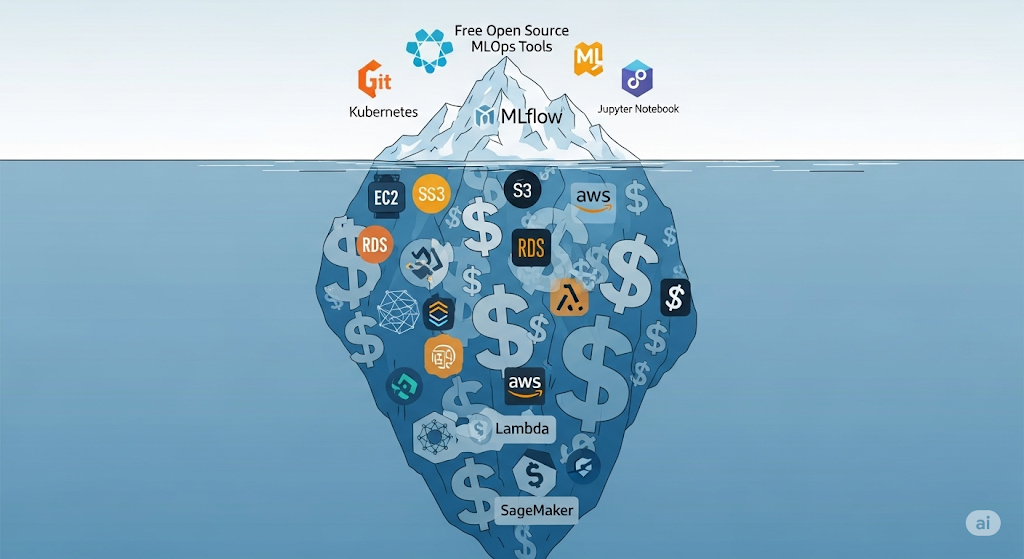
Many early-stage startups fall into the trap of thinking that open source = free. While it’s true that tools like MLflow, Kubeflow, or Seldon Core don’t have licensing fees, the reality is that the total cost of ownership can balloon quickly when you consider cloud infrastructure bills, engineering time, and ongoing maintenance. What starts as a small experiment on a local machine can easily evolve into a complex self-hosted MLOps stack that drains budgets each month.
This is where the Sagemaker vs. open-source debate becomes critical. Should you invest in building and maintaining your pipeline using open-source tools, or leverage a managed platform like AWS SageMaker that handles infrastructure and orchestration—at a cost? The answer isn’t universal, and for most startups, it comes down to balancing cost predictability, scalability, and engineering resources.
This article is part of our Ultimate Guide to Cost-Effective Open-Source MLOps in 2025, where we analyze each stage of the MLOps lifecycle—from experiment tracking to model deployment—and compare open-source vs managed approaches. By the end of this piece, you’ll have a clear framework for determining which option fits your startup’s budget and growth stage.
For those who want to model their expenses before making a decision, the AWS TCO Calculator is a valuable tool for estimating both infrastructure and operational costs, allowing you to compare scenarios side by side.
💡 Pro Tip: If you want to explore SageMaker before committing, AWS offers free tier access for specific instance types—perfect for testing whether managed MLOps could work for you.
II. Understanding the Cost Drivers of Both Approaches 📊
When comparing Amazon SageMaker vs. open source, it’s essential to go beyond headline pricing and understand the underlying cost drivers that determine your actual monthly spend. Both self-hosted and managed platforms have distinct financial footprints—one often front-loaded with infrastructure and engineering costs, the other tied to usage and convenience.
1. Self-Hosted (Open Source) Costs 🛠️
Running an open-source MLOps stack on AWS can be cost-efficient in some cases, but it comes with multiple ongoing expenses:
- EC2 or EKS Compute 💻 – Your MLflow server, Airflow scheduler, and model serving endpoints typically require always-on instances. For example, m5.large EC2 instances can quickly add up if you’re scaling multiple components.
- S3 Storage 🗄️ – Datasets, artifacts, and logs stored in Amazon S3 incur ongoing storage and retrieval fees, especially if you need frequent access.
- RDS/PostgreSQL for Metadata 🗃️ – Persistent storage for experiment metadata often resides in Amazon RDS, incurring additional costs for Multi-AZ deployments.
- DevOps Headcount & Opportunity Cost 👨💻 – Even “free” software requires someone to install, configure, monitor, and maintain it—taking valuable engineering hours away from building core product features.
🔗 Related Reading: The True Cost of “Free”: Self-Hosted MLOps Stack on AWS — our detailed breakdown of monthly AWS bills for typical open-source deployments.
2. Managed SageMaker Costs ☁️
AWS SageMaker abstracts much of the infrastructure complexity by offering a pay-per-use model—making it easier to align costs with actual workloads:
- Training & Inference 🧠 – You pay only for the compute time used during training and model hosting, without needing to run idle servers.
- S3 Storage in SageMaker 📦 – Models and datasets are stored in SageMaker-managed S3 buckets, with pricing similar to standard Amazon S3 storage but consolidated into your SageMaker bill.
- Cost Control via Savings Plans 💡 – For predictable workloads, SageMaker Savings Plans can reduce costs by up to 64% compared to on-demand rates.
💡 Pro Tip: If you run training jobs irregularly, SageMaker can be cheaper than self-hosting since you’re not paying for idle infrastructure between runs.
III. Break-Even Analysis Framework 📈
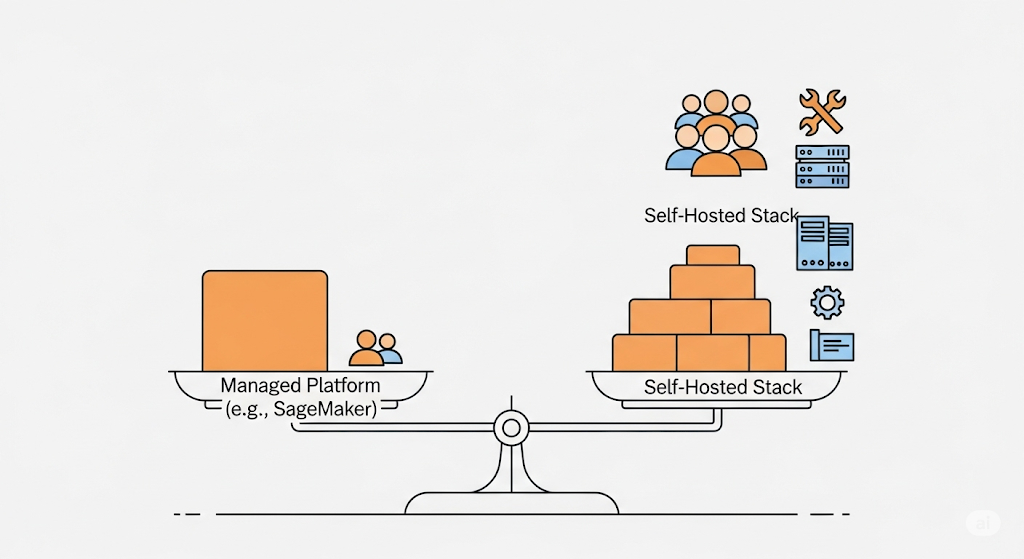
When evaluating SageMaker vs open source, the most strategic approach is to calculate the exact break-even point—the moment when AWS SageMaker’s managed pricing becomes cheaper (or more expensive) than a self-hosted stack.
1. The Formula 🧮
At its simplest, you can compare:
(Self-Hosted Infrastructure Costs + Engineering Overhead)
vs
(SageMaker Monthly Usage Fees)
Self-hosted costs include EC2/EKS compute, S3 storage, RDS/PostgreSQL, networking, monitoring, and the value of your DevOps team’s time.
SageMaker Costs cover pay-as-you-go pricing for training, inference, and storage, as well as any optional add-ons, such as SageMaker Savings Plans, to reduce recurring expenses.
2. Key Variables That Shift the Equation ⚖️
- Model Complexity 🧠 – Large transformer models require high-memory GPU instances, which can dramatically increase self-hosted infra costs.
- Training Frequency 🔄 – Daily retraining increases compute hours significantly; SageMaker’s per-job billing can be cheaper if workloads are bursty.
- Traffic Volume 📈 – High, consistent API traffic favors self-hosting for predictable performance, while low, sporadic traffic benefits SageMaker’s managed hosting.
💡 Pro Tip: Factor in the “opportunity cost” of engineering time spent maintaining infra instead of shipping features—this can tip the balance toward managed services.
3. Visualizing the Cost Intersection 📊
Imagine a graph where the X-axis represents usage intensity and the Y-axis represents monthly cost:
- The self-hosted line rises steeply from a higher baseline (due to fixed infrastructure and staff costs).
- SageMaker Line starts lower but rises faster with heavy workloads.
- The point where the lines cross is your Cost Intersection Point — the threshold where managed wins for your business.
📌 Suggested Visual: A “Cost Intersection Point – When Managed Wins” diagram showing both cost curves and the break-even threshold.
IV. Case Study: A Startup Scaling from MVP to Series A 🚀
When deciding between Sagemaker vs open source, real-world scenarios speak louder than theory. Let’s look at a fictional—but realistic—startup moving from its minimum viable product (MVP) to a Series A funding stage, and see how the cost equation changes.
1. Self-Hosted: 3-Node EKS Setup 🛠️
The startup initially chooses a 3-node Amazon EKS cluster running open-source MLOps tools, such as MLflow for tracking and Seldon Core for serving.
Monthly Breakdown (Estimate):
| Component | AWS Service | Monthly Cost* |
| Compute | 3× m5.large EC2 | ~$210 |
| Storage | 500 GB S3 Standard | ~$11.50 |
| Database | RDS PostgreSQL (db.t3.medium, Multi-AZ) | ~$75 |
| Networking | NAT Gateway + Data Transfer | ~$60 |
| Monitoring | Prometheus + Grafana on EC2 | ~$25 |
| Total | ~$381.50 |
*Based on AWS public pricing; see AWS EC2 Pricing for the latest rates.
2. Managed: SageMaker Endpoints for Inference ⚡
The alternative is to use SageMaker managed endpoints for model hosting and inference, skipping the EKS setup entirely.
Monthly Breakdown (Estimate):
| Component | AWS Service | Monthly Cost* |
| Hosting | 2× ml.m5.large endpoints | ~$216 |
| Storage | SageMaker-managed S3 | ~$12 |
| Monitoring | Built-in CloudWatch metrics | Included |
| Total | ~$228 |
💡 Here, SageMaker appears to be ~40% cheaper at the MVP stage due to its smaller infrastructure footprint and absence of EKS control plane charges.
3. Hidden Costs Beyond the AWS Bill 🕵️
- Downtime Risk ⏳ – In self-hosted setups, a Kubernetes misconfiguration can cause hours of downtime.
- Upgrade Cycles 🔄 – Maintaining MLflow, Seldon Core, and Kubernetes requires ongoing effort to keep them patched.
- Security Patching 🔐 – Vulnerabilities in open-source containers demand proactive updates, whereas SageMaker handles this automatically.
📌 Opportunity: These risks tie into [The True Cost of “Free”: Self-Hosted MLOps Stack on AWS], where we detail how operational overhead impacts your total cost of ownership.
V. When SageMaker Is Likely Cheaper than Open Source 💡
When evaluating Amazon SageMaker vs open source, there are clear scenarios where Amazon SageMaker can deliver not only operational simplicity but also a lower total cost of ownership (TCO).
1. Low to Medium Traffic Workloads with Spiky Demand 📈📉
If your application experiences irregular or seasonal usage patterns, SageMaker’s pay-per-use billing model for training and inference means you avoid paying for idle EC2 or EKS nodes. You can scale endpoints up during traffic spikes and shut them down entirely when not needed — something harder to manage cost-effectively in a 24/7 self-hosted environment.
2. Teams Without Dedicated DevOps Engineers 👨💻❌
Self-hosting requires ongoing cluster maintenance, patching, and monitoring — which means hiring or contracting DevOps engineers to handle these tasks. For small teams or early-stage startups, this human capital cost can exceed the AWS service bill itself. SageMaker shifts that burden to AWS, letting your data scientists focus on building models rather than maintaining infrastructure.
3. Leveraging SageMaker Autopilot for Quick Deployment ⚡🤖
For teams needing rapid prototyping without building a complete CI/CD and serving stack, SageMaker Autopilot automates training, tuning, and deployment with minimal configuration. This shortens time-to-market and removes the need for provisioning complex compute pipelines.
4. Cost Estimation Before You Commit 📊
To accurately determine your break-even point, use the official AWS SageMaker Pricing calculator. This allows you to model various scenarios — from low-traffic MVPs to scaled-up production workloads — and compare them directly against the costs of self-hosted infrastructure.
📌 Opportunity: Connect to [The True Cost of “Free”: Self-Hosted MLOps Stack on AWS] so readers can directly compare managed vs self-hosted cost structures.
VI. When Open Source Still Wins 🏗️
While managed services like SageMaker can be a cost-effective and low-maintenance solution in many cases, there are scenarios where open source still offers superior value in the SageMaker vs. open source debate.
1. Heavy, Predictable Workloads ⚙️📆
If your ML workloads run at consistently high utilization, paying for reserved EC2 or EKS instances can be far cheaper than SageMaker’s per-hour rates. With AWS Reserved Instances or Savings Plans (affiliate), you can lock in lower prices, making a self-hosted stack far more economical over the long term.
2. Highly Customized Pipelines 🛠️🔄
SageMaker is powerful, but it’s designed for a broad audience. Suppose your pipelines require non-standard frameworks, proprietary libraries, or unusual deployment topologies. In that case, an open-source stack provides complete flexibility to tailor your infrastructure exactly to your needs, without being bound by managed service constraints.
3. Regulatory Requirements for Full Data Control 📜🔐
In industries such as healthcare or finance, compliance standards (e.g., HIPAA, GDPR) may require that all data processing, storage, and transmission remain under your direct control. A self-hosted environment ensures that you maintain full data governance, which may not always be achievable with cloud-managed platforms.
📌 Opportunity: Connect to [Deploying Models without Breaking the Bank: Seldon Core vs BentoML] to help readers explore cost-optimized open-source deployment tools that integrate well with a fully self-hosted MLOps setup.
📖 Reference: The CNCF Cloud Native Landscape provides a curated view of production-ready open-source tools for building custom MLOps pipelines.
VII. Hybrid Model: Best of Both Worlds 🔗
In the Sagemaker vs open source decision, you don’t have to choose a single winner. Many high-performing ML teams adopt a hybrid model that combines the speed and convenience of managed services with the flexibility and cost control of self-hosted components.
1. Example Setup: SageMaker for Training, Self-Hosted Serving on EKS ⚡
One typical pattern is to leverage Amazon SageMaker for model training and experimentation, especially during the MVP stage, while deploying the trained models on a self-hosted EKS cluster for inference at scale. This approach:
- Reduces upfront DevOps overhead during training.
- Avoids paying SageMaker’s ongoing inference endpoint fees.
- Gives complete control over the serving environment for customization.
2. Orchestrating Both Pipelines with Airflow or Prefect 🛠️
Using Apache Airflow or Prefect, teams can coordinate both the managed and self-hosted parts of the stack:
- Trigger SageMaker training jobs automatically when data is updated.
- Deploy new model versions to EKS with zero downtime.
- Integrate CI/CD for seamless iteration between experimentation and production.
This orchestration layer ensures the hybrid workflow runs as a unified system rather than two disconnected pipelines.
3. Monitoring Across Both Worlds 🛡️
Whether training in SageMaker or serving in EKS, monitoring is crucial. By combining open-source tools like Evidently AI, Prometheus, and Grafana, you can track model performance and detect drift across both environments.
📌 Opportunity: Connect to [Free & Open-Source Model Monitoring: Evidently AI with Prometheus & Grafana] for a hands-on guide to implementing a robust, no-cost monitoring stack.
📖 Reference: AWS’s Hybrid Cloud Architectures documentation outlines best practices for integrating managed and self-hosted workloads in production.
VIII. Cost Optimization Tips Regardless of Approach ⚡
No matter which side you take in the Sagemaker vs open source debate, there’s one universal truth: cloud bills can spiral out of control if left unchecked. Fortunately, there are proven cost-saving strategies you can apply whether you’re running fully managed SageMaker workloads or orchestrating an open-source stack on AWS.
1. Use Spot Instances for Compute Workloads 💻💸
If your ML workflows allow interruptions — such as batch training jobs or offline inference — running them on AWS EC2 Spot Instances can cut compute costs by up to 90% compared to on-demand pricing. SageMaker also supports Managed Spot Training, allowing you to scale training efficiently without incurring heavy DevOps effort.
2. Apply S3 Lifecycle Rules for Cold Storage 📦
Whether you store data in SageMaker-managed buckets or directly in Amazon S3, setting up S3 lifecycle rules to move old datasets, logs, and model artifacts to S3 Glacier or S3 Glacier Deep Archive can drastically reduce storage costs. This is especially important for compliance-driven retention policies that require keeping historical data but not in hot storage.
3. Right-Size Your Endpoints 🎯
For SageMaker endpoints, select instance types that match actual traffic instead of over-provisioning for rare spikes. Similarly, for self-hosted EKS or EC2 model servers, utilize auto-scaling policies to adjust resources based on real-time demand dynamically.
4. Monitor Costs with AWS Cost Explorer 📊
Continuous visibility into spending is non-negotiable. AWS Cost Explorer helps you track daily usage, spot anomalies, and attribute costs to specific workloads. For self-hosted setups, integrate AWS Budgets with CloudWatch alarms to proactively flag budget overruns.
📌 Opportunity: Readers interested in deeper savings tactics can check [The True Cost of “Free”: Self-Hosted MLOps Stack on AWS] for a full breakdown of hidden and avoidable expenses.
📖 Reference: AWS’s Well-Architected Cost Optimization Pillar provides in-depth best practices for balancing performance and cost across architectures.
IX. FAQ 🔍
Voice search queries for Sagemaker vs open source often come in the form of direct, conversational questions. This section answers them in a way that’s both user-friendly and SEO-ready, ensuring your article ranks for long-tail, question-based keywords.
1. Is SageMaker more expensive than open source? 💰
Not always. While the per-hour rates for SageMaker instances seem higher than running open-source tools on raw EC2, the total cost of ownership (TCO) can be lower once you factor in reduced DevOps effort, automatic scaling, and built-in integrations. For small teams without dedicated infrastructure engineers, the savings in headcount and operational overhead can outweigh the raw compute cost.
📖 See AWS’s SageMaker Pricing for up-to-date rates and examples.
2. When should startups choose SageMaker? 🚀
Startups should lean toward managed SageMaker when:
- They have low-to-medium traffic workloads with unpredictable demand.
- They want to launch quickly without managing Kubernetes, scaling logic, or patching.
- They prefer pay-as-you-go infrastructure that automatically scales.
This reduces time-to-market, allowing founders to focus on product instead of infrastructure.
📌 Internal link: [When SageMaker Is Likely Cheaper than Open Source] for a deeper cost-benefit analysis.
3. Can I use SageMaker and open-source tools together? 🔗
Yes — many companies adopt a hybrid MLOps strategy. For example, you can train models using SageMaker Autopilot and then deploy them with Seldon Core or BentoML on EKS for cost-efficient inference at scale. This lets you leverage SageMaker’s automation while retaining the flexibility of open-source serving.
📖 Reference: AWS outlines hybrid workflows in the Machine Learning on AWS Guide.
X. Recommended Learning Resources 🎓
For founders, engineers, and data scientists evaluating SageMaker versus open-source options, a firm grasp of AWS architecture, pricing, and MLOps best practices is essential. The following curated learning paths combine affiliate resources for in-depth exploration and official documentation for hands-on guidance.
1. Architecting with AWS – Coursera 🏗️
If you’re planning to build or migrate a machine learning stack to AWS, this course is a must-have. It covers designing scalable, cost-optimized, and secure cloud architectures, which is critical when deciding between managed platforms and self-hosted options.
📚 Architecting with AWS – Coursera — perfect for MLOps engineers who want to understand trade-offs in compute, networking, and storage decisions.
2. AWS Certified Machine Learning Specialty – Udemy 🤖
For teams that want to leverage SageMaker’s capabilities fully — from training and hyperparameter tuning to inference and monitoring — this certification course offers an intensive, exam-focused curriculum. It also equips you with the knowledge to integrate SageMaker with open-source tools like MLflow, Kubeflow, or Seldon Core.
🎯 AWS Certified Machine Learning Specialty – Udemy — a high-ROI investment for engineers building production-grade ML workflows.
3. Free Official AWS Resources 📖
- AWS Pricing Calculator — Estimate your total cost of ownership for both self-hosted and managed MLOps setups.
- AWS Well-Architected Framework — Guidance on operational excellence, cost optimization, and performance efficiency for ML workloads.
💡 Pro Tip: Pair these resources with hands-on experimentation. Spin up a minimal SageMaker training job and compare the bill against a 3-node EKS cluster running open-source MLOps to validate your break-even assumptions in real-world conditions.