
The True Cost of “Free”: Analyzing Hidden Infrastructure Costs of a Self-Hosted MLOps Stack on AWS
I. Introduction: Why “Free” Self-Hosted MLOps Isn’t Free 💸
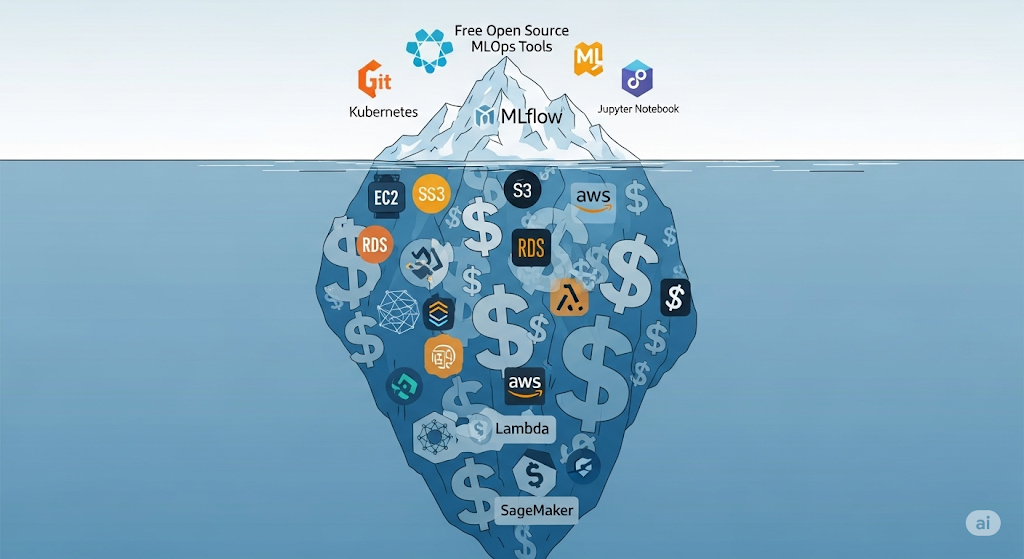
When startups hear the phrase “open-source MLOps”, the first thought is often “free”. Unfortunately, the cost realities of self-hosted MLOps hit hard once the first cloud bill arrives. Running a complete open-source stack on AWS can quickly accumulate charges — from compute nodes and object storage to network transfer fees and ongoing DevOps labor. The allure of zero licensing fees can mask a monthly bill in the hundreds or even thousands of dollars.
In this article, we’ll break down what truly goes into the self-hosted MLOps cost equation:
- Compute — Virtual machines or Kubernetes clusters powering your orchestration, model serving, and monitoring.
- Storage — Object storage for datasets, models, and logs.
- Networking — Egress charges and load balancer costs that grow with user demand.
- Operational Time — The hidden human cost of engineers managing, patching, and scaling the stack.
This cluster article is directly connected to our Ultimate Guide to Cost-Effective Open-Source MLOps in 2025 (hub), where we cover the entire pipeline from data ingestion to monitoring — ensuring your stack is optimized for both performance and cost.
According to the official AWS Total Cost of Ownership (TCO) Calculator, even minimal infrastructure configurations accrue notable monthly expenses. These calculations don’t just account for instance pricing — they include support costs, redundancy, and scaling overhead, which are often underestimated in budget planning.
💡 Pro Tip: If you plan to self-host, test your architecture in AWS’s cost calculator before deploying. This single step can prevent sticker shock later.
II. Typical Components of a Self-Hosted MLOps Stack on AWS 🛠️
A realistic calculation of self-hosted MLOps cost starts with understanding the key components that power your pipeline. Each layer of the stack consumes AWS resources, and each resource has a corresponding price tag.
Compute 💻
Most self-hosted MLOps stacks require a combination of Amazon EC2 instances or Amazon EKS (Elastic Kubernetes Service) worker nodes. These run core services like Apache Airflow, MLflow tracking servers, and model-serving frameworks such as Seldon Core or BentoML. The more pipelines, experiments, and models you deploy, the higher your compute bill — especially if you keep nodes running 24/7.
Storage 📦
AWS S3 buckets act as the central storage for datasets, model artifacts, and log files. While S3’s standard tier is cost-effective per GB, costs can spike when storing large ML datasets, numerous model versions, or frequent log archives. Frequent read/write operations can also incur request charges on top of base storage fees.
Databases 🗄️
For experiment metadata, model registry indexes, and orchestration state, you’ll often rely on Amazon RDS with PostgreSQL. While the most minor RDS instances start at a low cost, enabling multi-AZ for fault tolerance or scaling for high concurrency can quickly multiply costs.
Networking 🌐
Serving models externally means AWS Application Load Balancers (ALB) or Network Load Balancers (NLB) are almost unavoidable. Add NAT Gateway charges for outbound internet traffic from private subnets, as well as data transfer fees (especially for cross-region or public egress), and your networking bill can rival compute costs.
Monitoring 📊
Self-hosted monitoring stacks, such as Prometheus and Grafana, often run on dedicated Amazon EC2 instances. These tools are essential for tracking model performance, infrastructure health, and drift detection — but require persistent storage, CPU, and RAM allocations, which all factor into your monthly bill.
📌 Related:
- For a deeper cost breakdown related to experiment tracking infrastructure, see our cluster article, “Lean Experiment Tracking: MLflow vs. W&B vs. Neptune.”
- For deployment-specific compute and networking costs, refer to ‘Deploying Models: Seldon Core vs. BentoML‘.
💡 Pro Tip: If you’re starting small, AWS offers EC2 Spot Instances for up to 90% cost savings — but they’re best suited for non-critical workloads that can tolerate interruptions.
III. AWS Pricing Breakdown by Service 📊
When evaluating the self-hosted MLOps cost, it’s essential to break down AWS expenses by each service in your stack. While open-source tools like MLflow, Airflow, and Seldon Core are “free,” the AWS infrastructure powering them is where your real monthly bill comes from.
EC2 & EKS Compute Costs 💻
For orchestration, tracking servers, and model serving, most teams choose Amazon EC2 or Amazon EKS worker nodes. A typical baseline setup might use:
- t3.medium (2 vCPUs, 4 GB RAM) at $0.0416/hour ($30/month if running 24/7).
- m5.large (2 vCPUs, 8 GB RAM) at $0.096/hour ($70/month if running 24/7).
Using EKS incurs an additional $0.10 per cluster/hour in control plane fees, which can result in approximately $72/month just for Kubernetes management. You can review the official AWS EC2 Pricing page for the most up-to-date rates.
💡 Pro Tip: Use EC2 Spot Instances for non-critical workloads to save up to 90%, but be aware of potential interruptions.
S3 Storage Costs 📦
Amazon S3 is the backbone for storing datasets, artifacts, and logs. Pricing varies by storage class:
- S3 Standard: ~$0.023/GB/month — ideal for frequently accessed data.
- S3 Infrequent Access: ~$0.0125/GB/month — better for archived models or old experiment logs.
Request charges and data retrieval fees can add up, especially when handling frequent ML pipeline jobs. You can compare storage tiers directly on the AWS S3 Pricing page.
RDS Database Costs 🗄️
For metadata, experiment tracking, and registry indexing, Amazon RDS with PostgreSQL is a common choice. A db.t3.medium (2 vCPUs, 4 GB RAM) with Multi-AZ for fault tolerance costs roughly $70–$80/month, including storage and I/O requests. While Multi-AZ boosts reliability, it doubles instance usage — a cost many startups overlook.
Networking & Data Transfer Costs 🌐
Networking is the hidden cost trap in the self-hosted MLOps cost equation:
- Ingress (data into AWS): Generally free.
- Egress (data out to the internet): ~$0.09/GB after the first free GB.
If you’re serving ML models to external clients or exporting results to other regions, egress costs can scale fast. Load balancers, NAT gateways, and cross-AZ traffic also contribute to this bill.
💡 Hidden Cost Alert: A single NAT Gateway running 24/7 costs ~$32/month before data transfer charges.
IV. Hidden Costs Startups Forget to Include 🕵️
When calculating self-hosted MLOps costs, many startups focus only on compute and storage bills, but several “invisible” expenses quietly eat into your budget. Failing to consider these factors can result in underestimating your total cost of ownership (TCO) by 30–50%.
DevOps Engineer Time ⏳
Even if your MLOps stack runs on open-source tools, someone has to install, configure, patch, and maintain them. A DevOps engineer may spend anywhere from 10 to 40 hours/month just on updates, scaling adjustments, and incident response. For a startup paying $60–$100/hour for contract DevOps support, that’s an extra $600–$4,000/month on top of AWS bills. This “human infrastructure” cost is rarely considered in budgeting.
💡 Recommendation: If you don’t have in-house expertise, consider AWS Managed Services to reduce ops workload, though it comes at a premium.
Backup Storage & Snapshots 💾
For disaster recovery, AWS recommends regular EBS snapshots and S3 Glacier backups. While snapshots are incremental, costs accumulate fast when models and datasets change frequently. For example, maintaining 30 days of daily 50 GB snapshots can cost approximately $35/month in EBS snapshot fees, plus retrieval charges.
💡 Tip: Use S3 Glacier Deep Archive (~$0.00099/GB/month) for long-term backups of old models to significantly reduce storage spend.
Monitoring & Logging Data Ingestion Fees 📈
Many teams deploy Prometheus and Grafana for self-hosted monitoring, but overlook the network and storage costs associated with metrics collection. AWS CloudWatch Logs ingestion is ~$0.50/GB, meaning heavy logging pipelines can add hundreds to your bill. If you integrate drift detection tools like Evidently AI, the additional data pushes this cost even higher.
📌 For a hands-on setup, check out our related guide Free & Open-Source Model Monitoring: Evidently AI with Prometheus & Grafana, which explains how to deploy a no-license monitoring stack without ballooning ingestion fees.
V. Case Study: Monthly AWS Bill for a 3-Node MLOps Setup 📅
To make self-hosted MLOps cost more tangible, let’s break down a realistic monthly AWS bill for a small, production-ready stack running Airflow, MLflow, Prometheus, and BentoML across three Kubernetes nodes. This example assumes m5.Large EC2 instances in the US East (N. Virginia) region, with 1-year no-upfront reserved pricing.
EC2 Compute 💻
For orchestration, experiment tracking, and model serving, we’ll use 3× m5—large EC2 instances (2 vCPUs, 8 GB RAM each). At approximately $0.096/hour, this translates to roughly $207/month per instance, or $621/month total.
🔗 See the official AWS EC2 Pricing page for up-to-date rates.
S3 Storage 📦
Storing datasets, model artifacts, and logs requires approximately 500 GB in S3 Standard ($0.023/GB), which amounts to $11.50/month. If you also keep older versions in S3 Infrequent Access, you can reduce this cost by ~50%.
🔗 Reference: AWS S3 Pricing.
RDS Database 💾
A PostgreSQL metadata store on db.t3.medium with Multi-AZ for high availability costs about $75/month, including ~100 GB of storage. This handles MLflow experiment metadata and Airflow orchestration state.
Networking 🌐
Data transfer out to the internet is often a hidden cost. Assuming 200 GB egress at $0.09/GB, you’ll spend about $18/month. If your inference endpoints are heavily utilized, this number can increase rapidly.
Total Monthly Bill 📊
Putting it together:
| Service | Cost/Month |
| EC2 (3× m5.large) | $621 |
| S3 | $11.50 |
| RDS PostgreSQL | $75 |
| Networking | $18 |
| Total | $725.50 |
This means your “free” open-source stack now has a recurring infrastructure bill of approximately $725/month — excluding DevOps time, backups, and monitoring ingestion costs, as discussed in Hidden Costs Startups Forget to Include.
📌 Diagram Idea: From Free Open Source to Monthly AWS Bill — visually showing the jump from $0 software licensing to hundreds in cloud infra costs.
💡 Recommendation: If you’re starting, consider a smaller t3.medium test cluster and scale to m5.large only when performance demands it. You can learn more in AWS’s Cost Optimization Hub.
VI. Cost Optimization Strategies without Losing Performance ⚡
When planning your self-hosted MLOps cost, the goal isn’t just to cut expenses — it’s to reduce waste while maintaining (or even improving) performance. Here are proven strategies that can make a measurable difference in your AWS bill.
Use Spot Instances for Batch Jobs ⏳
If your workload includes non-urgent batch processing — such as nightly model retraining or bulk inference — AWS Spot Instances can slash compute costs by up to 90% compared to On-Demand pricing. These instances are ideal for jobs that can handle interruptions, which is common in MLOps pipelines for data preprocessing and experimentation.
Apply S3 Lifecycle Rules for Cold Data 🗄️
Not all data needs to stay in S3 Standard forever. Use S3 Lifecycle Rules to automatically move older datasets and model artifacts into S3 Infrequent Access or S3 Glacier Deep Archive, significantly lowering storage costs. For example, model versions older than 90 days can be archived unless they’re actively serving traffic.
Right-Size RDS and EC2 📏
Many startups overprovision their instances “just in case.” Use AWS Compute Optimizer to find smaller EC2 and RDS instance types that still meet your CPU, memory, and I/O requirements. You may find that your Airflow scheduler or MLflow server can run perfectly on a t3.medium instead of an m5.large, which can cut your costs in half.
Leverage AWS Savings Plans 💡
If you’re committed to AWS for at least a year, AWS Savings Plans can reduce EC2, Fargate, and Lambda compute costs by up to 72% in exchange for a usage commitment. For MLOps teams with predictable training or serving workloads, this is one of the highest-ROI cost-cutting levers available.
Connect with Related Cost Strategies 🔗
For deeper storage-focused savings, check out our future cluster: Cost-Effective MLOps Data Storage Strategies, where we break down compression, tiered storage, and data pruning techniques that complement the optimizations above.
💡 Pro Tip: Always combine at least two strategies — e.g., Spot Instances for batch jobs + Savings Plans for steady workloads — to maximize savings without hurting service levels. This hybrid approach can easily shave 30–50% off your monthly self-hosted MLOps cost.
VII. When AWS SageMaker Might Be Cheaper than Self-Hosting 🤯
One of the most surprising truths about self-hosted MLOps costs is that doing everything yourself on EC2 and EKS isn’t always the cheapest option. In specific scenarios, AWS SageMaker — despite being a managed service — can save you money.
The Hidden Efficiency of Managed Services ⚙️
When you self-host your MLOps stack, you’re paying for persistent infrastructure — EC2 or EKS nodes running 24/7, RDS for metadata storage, and possibly idle GPU nodes waiting for the next training job. With SageMaker, you can pay only for what you use during training, inference, or processing. It’s managed infrastructure automatically spins down when idle, which can eliminate large chunks of your monthly bill if your workloads aren’t constant.
Example: Infrequent Training + Low-Traffic Inference
Let’s say your team trains models only a few times a month and serves predictions with minimal traffic. On EC2/EKS, you’d still pay for a baseline of compute, storage, and networking. With SageMaker, you could:
- Use SageMaker Training Jobs to spin up compute only during training hours.
- Deploy models to SageMaker Endpoints that scale to zero or use Serverless Inference for pay-per-request billing.
In this case, the self-hosted MLOps costs may easily exceed those of the managed alternative — especially once you factor in DevOps labor, monitoring, and patching overhead.
Break-Even Analysis 📊
If your infrastructure utilization is below ~40% for the month, SageMaker often wins on price because you’re not burning money on idle resources. For highly bursty workloads, this elasticity can result in 30–50% savings compared to keeping EC2 nodes running continuously.
The Real Trade-Off 🔄
While SageMaker can be more cost-effective in some instances, it does come with vendor lock-in and higher per-unit compute prices for sustained heavy workloads. That’s why we recommend benchmarking both approaches using the AWS Pricing Calculator before making a commitment.
💡 Pro Tip: If you’re still unsure, run a parallel trial — deploy one workload on your self-hosted EC2/EKS stack and another on SageMaker for a month. Compare the invoices, factoring in not just AWS charges but also DevOps time and support overhead.
VIII. Decision Guide: Self-Hosted vs Managed MLOps 🧭
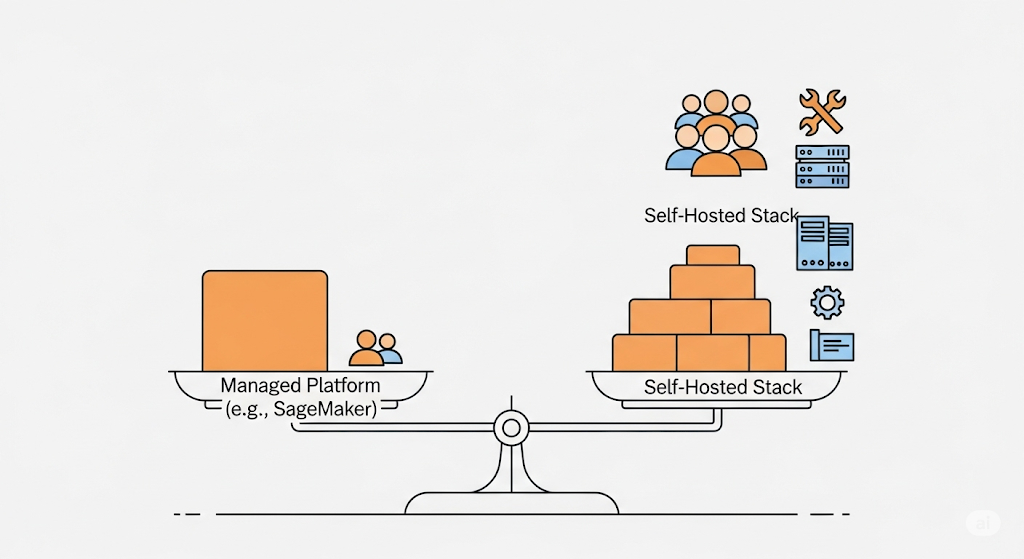
When it comes to self-hosted MLOps costs, the real question isn’t just “How much will it cost?” but also “What trade-offs am I willing to make between control, flexibility, and operational overhead?” This decision guide outlines when to opt for self-hosted solutions, when to choose fully managed services, and when a hybrid model is the best approach.
🖥️ Self-Hosted: Full Control, Custom Stack
A self-hosted MLOps stack on AWS (or any cloud) gives you complete control over infrastructure, software versions, and integration patterns. You can handpick open-source tools such as MLflow for experiment tracking, Seldon Core for model serving, and Prometheus/Grafana for monitoring.
- Best for: Startups or enterprises with strong in-house DevOps/MLOps expertise.
- Cost Considerations: Higher fixed costs for compute, storage, and networking, plus engineering labor.
- Internal Link: See our guide Lean Experiment Tracking: MLflow vs. W&B vs. Neptune for how this fits into your pipeline.
☁️ Managed MLOps: SageMaker, Vertex AI, Azure ML
If your team prefers to focus on models rather than infrastructure, managed MLOps platforms like AWS SageMaker or Google Vertex AI can significantly reduce operational burdens. These services offer auto-scaling, built-in monitoring, and integrated pipelines.
- Best for: Teams with limited DevOps resources or highly variable workloads.
- Cost Considerations: Higher per-unit compute cost but potential savings on idle time, ops, and maintenance.
- Authoritative Reference: See Google Cloud MLOps Best Practices for deployment and monitoring strategies.
🔄 Hybrid: Managed Training + Self-Hosted Serving
A hybrid approach can offer the best of both worlds — for example, using SageMaker for managed training (paying only when jobs run) and deploying models with BentoML or Seldon Core on self-hosted Kubernetes for complete control over inference latency and costs.
- Best for: Teams needing elastic training but predictable, low-latency serving.
- Example Workflow: Managed training jobs feed into a CI/CD pipeline that deploys Dockerized models to a Kubernetes cluster with Seldon Core.
💡 Pro Tip: Use the AWS Pricing Calculator to run side-by-side TCO estimates for self-hosted vs managed workloads. Include both infrastructure spend and engineering time to get an accurate picture of the self-hosted MLOps costs.
IX. FAQ 🔍
This FAQ section addresses the most common voice search queries and long-tail keywords related to self-hosted MLOps costs. It’s designed to appear in Google’s rich snippets, making your content more discoverable for spoken and natural-language searches.
💬 How much does it cost to self-host MLOps on AWS?
The cost to self-host MLOps on AWS depends on the size of your infrastructure and workload. For a small startup, running a 3-node EC2 m5.large cluster with S3 storage, RDS for metadata, and basic Prometheus/Grafana monitoring can start at around $300–$600 per month. However, as you add features like auto-scaling, high-availability RDS, and larger datasets, the bill can quickly exceed $1,500/month.
- Pro Tip: Use the AWS Pricing Calculator to model your expected spend before committing to a purchase.
- Internal Link: See Case Study: Monthly AWS Bill for a 3-Node MLOps Setup for a realistic breakdown.
💬 What are hidden AWS costs for open-source MLOps?
Hidden costs often surprise teams who think open-source tools are “free.” Every day, overlooked expenses include:
- NAT Gateway charges for outbound internet access from private subnets.
- Data transfer fees for moving data between AWS regions or out of AWS.
- Backup snapshots for RDS and EBS volumes.
- Monitoring ingestion costs if you’re storing high-frequency metrics in CloudWatch.
According to the AWS Well-Architected Framework, these costs should be factored into total ownership calculations.
- Internal Link: Our guide Free & Open-Source Model Monitoring: Evidently AI with Prometheus & Grafana explains how to manage monitoring costs effectively.
💬 Is SageMaker cheaper than self-hosting?
Sometimes, yes — especially if your workloads are intermittent. With self-hosted MLOps, you pay for EC2/EKS nodes 24/7, even when idle. In contrast, AWS SageMaker charges only for the resources used during training or inference. For bursty workloads, this can result in lower monthly costs compared to a continuously running self-hosted stack.
However, for high-throughput, always-on workloads, self-hosting can be cheaper in the long run — provided you optimize your infrastructure.
- Related: See When AWS SageMaker Might Be Cheaper than Self-Hosting for a side-by-side cost model.
X. Recommended Learning Resources 🎓
When tackling self-hosted MLOps cost challenges, investing in the right learning resources can pay for itself many times over — not just in saved cloud spend, but also in optimized system design and better cost governance. Below are handpicked resources combining affiliate training programs with free AWS tools that will help you master the economics of self-hosted MLOps on AWS.
🎯 AWS Certified Solutions Architect – Udemy
For technical leads and DevOps engineers looking to design cost-efficient AWS architectures, the AWS Certified Solutions Architect – Udemy course offers practical, exam-focused training. It covers EC2 sizing, storage optimization, networking design, and pricing models — all critical for controlling self-hosted MLOps costs. The certification itself is widely recognized and can boost your credibility when making budget recommendations.
🏗️ Architecting with AWS – Coursera
Suppose you prefer a project-based, enterprise-grade learning approach, Architecting with AWS. In that case, Coursera walks you through real-world architecture decisions — including when to choose managed services vs. self-hosted solutions. You’ll also learn how to leverage AWS cost optimization tools and implement the AWS Well-Architected Framework for ongoing efficiency.
💡 Free AWS Tools for Cost Estimation & Optimization
Before spinning up even a single EC2 instance, use these official AWS tools to forecast, monitor, and refine your cost model:
- AWS Pricing Calculator — Create a detailed monthly cost projection for your MLOps stack, including compute, storage, and networking.
- AWS Well-Architected Framework — Follow AWS’s own best practices for designing cost-efficient, secure, and reliable workloads.
📌 Suggestions:
- AWS Pricing Breakdown by Service for a real example of applying the calculator.
Cost Optimization Strategies without Compromising Performance for Actionable Steps after Estimating Costs.
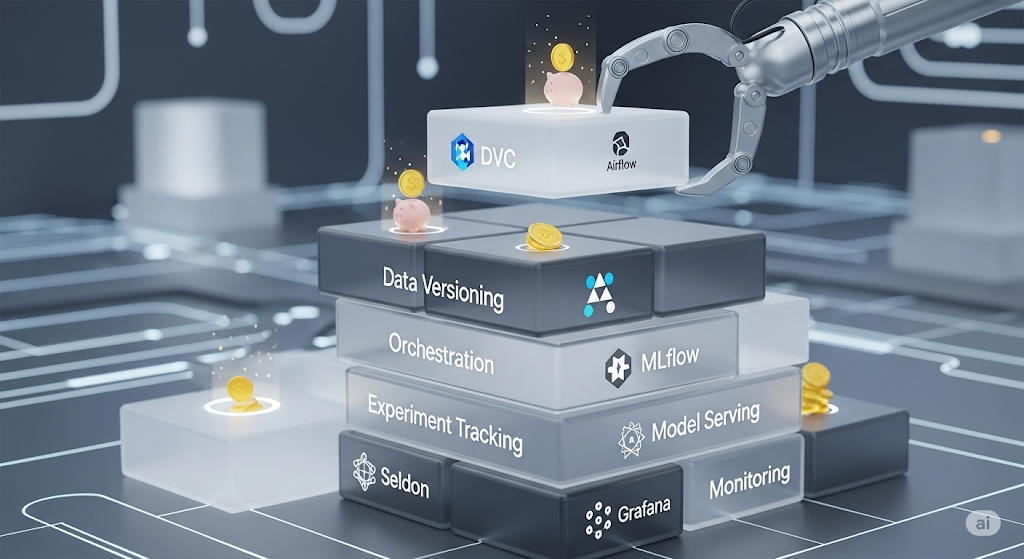
Pingback: Automating the CI/CD Pipeline for ML: A Practical Workflow with CML and GitHub Actions - aivantage.space