
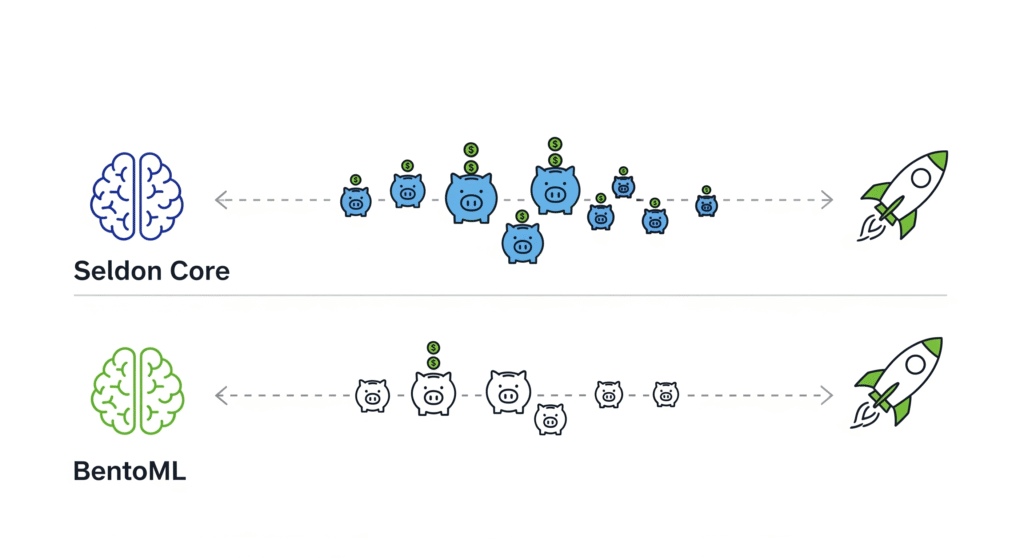
Deploying Models without Breaking the Bank: A Practical Guide to Seldon Core vs. BentoML
Introduction: Why Model Serving Matters in MLOps 📦
In the world of machine learning startups, it’s not uncommon to see teams that can build and train impressive models but hit a roadblock when it comes to serving those models in production. The challenge often lies in moving from a proof-of-concept running in a Jupyter Notebook to a scalable, secure, and cost-efficient service. Without the right tools, this transition can lead to spiraling cloud costs, operational headaches, and poor user experience.
Model serving plays a critical role because it transforms your model from a static .pkl or .onnx file into a production-ready API—whether that’s a REST endpoint for real-time predictions or a batch processing pipeline for large-scale offline inference. This step ensures that your machine learning work can power real-world applications, from fraud detection systems to personalized recommendation engines.
Within the MLOps lifecycle, serving is the bridge between model experimentation and monitoring. Once you’ve tracked experiments and chosen the best-performing model, the serving stage ensures that the model is reliably deployed, scaled, and made accessible to the systems or users that need it. Without a robust serving layer, even the most accurate models remain trapped in development.
📖 This guide is part of our Ultimate Guide to Cost-Effective Open-Source MLOps in 2025, where we explore every stage of the pipeline—from data versioning to model monitoring—with a focus on open-source tools that help startups operate lean without sacrificing performance.
For authoritative guidance on designing robust and scalable deployments, see Google Cloud’s MLOps whitepaper, which outlines best practices for continuous delivery and automation in ML workflows.
💡 Pro Tip: If you’re new to deploying ML models as APIs or microservices, investing in a practical course such as Kubernetes for the Absolute Beginners – Udemy can give you the foundation you need to work with tools like BentoML and Seldon Core confidently.
Serving Models: REST, gRPC, and Batch Processing 🔌
When it comes to getting your trained models into production, choosing the right serving interface is just as important as the model itself. Each approach—REST, gRPC, and batch processing—caters to different performance, scalability, and integration needs in your MLOps pipeline.
REST APIs 🌐 – The Synchronous Standard
REST APIs remain the go-to choice for many startups looking to integrate ML models into web or mobile applications. They’re simple to implement, widely supported, and ideal for synchronous predictions, where the client sends a request and waits for a response. For instance, an e-commerce platform’s fraud detection service could expose a REST endpoint that evaluates a transaction in real-time before payment is processed.
To quickly test and document these endpoints, tools like Postman are invaluable. Postman not only simplifies request testing but also helps teams share collections for consistent API usage across the development lifecycle.
gRPC ⚡ – Low Latency, High Throughput
For high-performance systems where speed is critical, gRPC is often the better option. Built on HTTP/2, gRPC supports bi-directional streaming and offers lower latency than REST while being language-agnostic. This makes it a strong fit for real-time ML inference in scenarios like autonomous vehicle perception systems or large-scale recommendation engines. Its compact binary format also reduces payload size, further enhancing performance in resource-constrained environments.
Batch Processing 📦 – Offline at Scale
Not all predictions need to occur in real-time. Batch serving is perfect for offline scoring of large datasets, where latency isn’t a concern but cost efficiency and throughput are. A great example is nightly recommendation generation for a streaming service, where a model processes millions of user profiles and stores results for next-day delivery. This approach often runs in distributed data processing frameworks, such as Apache Spark, or cloud-native batch jobs, like AWS Batch or Google Cloud Dataflow.
Choosing the Right Pattern 🧠
Think of REST as your everyday commuter car, gRPC as your sports car for speed, and batch serving as your freight truck—each has a purpose, and picking the wrong one can bottleneck your entire pipeline. In many modern MLOps stacks, startups employ a hybrid approach, using REST for public APIs, gRPC for internal high-throughput services, and batch jobs for heavy offline workloads.
📖 For more on designing production-grade serving strategies, see Google Cloud’s Best Practices for ML Serving.
Tool #1: BentoML 🍱
BentoML is a flexible, open-source model serving framework designed with ML engineers in mind. It’s Python-first, meaning you can work directly in the language most data scientists already know, without needing to learn an entirely new DSL or orchestration syntax. Whether you’re building a quick proof-of-concept or rolling out a production-grade API, BentoML strikes a balance between simplicity and extensibility.
Key Features 🔑
- Simple API to package models into microservices 🛠️
With just a few lines of code, BentoML lets you wrap trained models and expose them as REST or gRPC services. This drastically reduces the time from model training to deployment. - Native integration with ML frameworks 🤝
BentoML offers first-class support for popular frameworks, including PyTorch, TensorFlow, and XGBoost, ensuring seamless serialization, environment management, and serving. - Built-in Dockerization 🐳
Once your service is ready, BentoML can automatically containerize it into a Docker image, making it easy to run anywhere—from a laptop to a Kubernetes cluster.
📄 Learn more in the official BentoML documentation.
Pros ✅
- Easy learning curve for Python developers.
- Model packaging simplicity, even for those without deep DevOps knowledge.
- Well-maintained documentation and examples for quick adoption.
Cons ❌
- Smaller enterprise adoption compared to more established tools, such as Seldon Core.
- Slightly less Kubernetes-native than Seldon, requiring some manual tuning for large-scale distributed serving.
When to Use 🧠
BentoML is an excellent fit for startups, solo developers, and Python-centric teams who want to move fast without the heavy operational overhead of more complex serving stacks. It’s especially powerful when paired with lightweight orchestration tools like Prefect or integrated into CI/CD pipelines using GitHub Actions.
💡 Affiliate CTA: If you’re planning to deploy BentoML services to Kubernetes but feel new to container orchestration, the Kubernetes for the Absolute Beginners – Udemy course 🌟 is an excellent way to get production-ready skills fast.
Tool #2: Seldon Core 🏛️
Seldon Core is a Kubernetes-native platform purpose-built for deploying and managing ML models at scale. Unlike lightweight serving frameworks, Seldon Core is designed to handle enterprise-grade workloads, integrating deeply with Kubernetes for orchestration, scaling, and observability. If your startup or team already has Kubernetes running in production, Seldon Core can seamlessly integrate into your infrastructure, providing the power to run multiple models with advanced routing strategies.
Key Features 🔑
- Multi-model serving on one cluster 📦
Instead of managing separate deployments for each model, Seldon Core enables you to host multiple models in the same Kubernetes cluster, thereby optimizing resource utilization and simplifying updates. - Advanced routing & experimentation 🔄
Support for canary deployments, shadow models, and A/B testing lets you roll out new versions safely, monitor their performance, and iterate quickly without impacting all users. - Out-of-the-box monitoring hooks 📊
Seldon Core integrates with Prometheus and Grafana for metrics collection and visualization, giving you instant insights into latency, throughput, and error rates.
📄 Explore the official Seldon Core documentation for detailed installation and configuration guides.
Pros ✅
- Enterprise-scale orchestration with mature traffic management.
- Native Kubernetes integration, leveraging CRDs (Custom Resource Definitions) for declarative model deployments.
- Flexible integrations with logging, monitoring, and CI/CD systems.
Cons ❌
- A steeper learning curve compared to BentoML—requires a comfort level with Kubernetes concepts.
- Kubernetes administration knowledge is essential for ensuring production reliability and scalability.
When to Use 🧠
Seldon Core is ideal for teams already running Kubernetes in production who want a centralized model serving and enterprise-grade traffic management. It’s also a strong choice for regulated industries (finance, healthcare) where A/B testing, shadow deployment, and rollback control are critical.
💡 Affiliate CTA: To confidently run Seldon Core in production, mastering Kubernetes is essential. The Architecting with Kubernetes – Coursera course 🚀 provides hands-on training to help you design and operate robust microservice deployments.
V. Step-by-Step: Serving a Model with BentoML ⚡
BentoML makes it straightforward for ML engineers to package, serve, and scale models without reinventing the wheel of deployment. Here’s a quick guide to get your first model running.
1️⃣ Install BentoML and Save Your Trained Model
Install BentoML via pip:
pip install bentoml
Assume you have a trained scikit-learn model—save it with:
import bentoml
import pickle
model = pickle.load(open(“model.pkl”, “rb”))
bentoml.sklearn.save_model(“fraud_detector”, model)
2️⃣ Define a Service in Python with Prediction Logic
BentoML services are Python files that define how your model will handle requests:
import bentoml
from bentoml.io import JSON
model_ref = bentoml.sklearn.get(“fraud_detector:latest”)
model_runner = model_ref.to_runner()
svc = bentoml.Service(“fraud_service”, runners=[model_runner])
@svc.api(input=JSON(), output=JSON())
def predict(input_data):
return {“prediction”: model_runner.run(input_data)}
3️⃣ Build a Bento Bundle and Containerize with Docker 🐳
bentoml build
bentoml containerize fraud_service:latest
4️⃣ Deploy Locally or to Kubernetes
Local:
bentoml serve fraud_service:latest
- Kubernetes: Push the container to a registry and apply deployment YAML.
📚 See the BentoML Documentation for advanced features like autoscaling and GPU support.
💡 Pro Tip: If you plan to run on Kubernetes, learn the essentials with Kubernetes for the Absolute Beginners – Udemy 🌟.
VI. Step-by-Step: Serving a Model with Seldon Core 🛠️
Seldon Core is designed for Kubernetes-native ML model deployments, offering robust routing and scaling capabilities. Here’s how to serve a model.
1️⃣ Package Your Model as a Docker Image with Seldon’s Wrapper
Start by building a Python model server:
from seldon_core.seldon_client import SeldonClient
class MyModel:
def predict(self, X, features_names=None):
return [[sum(x) for x in X]]
# Save as MyModel.py and Dockerize
Create a Dockerfile using Seldon’s base images.
2️⃣ Create a Deployment YAML File 📄
apiVersion: machinelearning.seldon.io/v1
kind: SeldonDeployment
metadata:
name: tensorflow-mnist
spec:
predictors:
– name: default
replicas: 1
graph:
name: classifier
implementation: TENSORFLOW_SERVER
modelUri: gs://mybucket/mnist-model
3️⃣ Apply to Your Kubernetes Cluster
kubectl apply -f seldon-deployment.yaml
4️⃣ Expose Service via Ingress or Load Balancer 🌍
Use Kubernetes ingress controllers or a cloud load balancer to make your endpoint public.
📄 Detailed setup can be found in the Seldon Core Documentation.
🚀 Affiliate Pick: Level up your deployment skills with Architecting with Kubernetes – Coursera for hands-on production techniques.
VII. BentoML vs Seldon Core: Feature Comparison Table 📊
When deciding between BentoML and Seldon Core, it’s essential to evaluate them across language support, deployment complexity, scalability needs, and learning curve. The table below distills these differences, allowing you to match the tool to your team’s stage and technical expertise.
| Feature | BentoML 🍱 | Seldon Core 🏛️ |
| Language Focus | Python-native, ideal for ML engineers familiar with the Python ecosystem. | Language-agnostic, works with any model wrapped for Kubernetes. |
| Kubernetes Required | ❌ Optional — run locally, in Docker, or on any cloud. | ✅ Yes — built from the ground up for Kubernetes-native deployments. |
| Learning Curve | Low — straightforward CLI and Python API. | High — requires Kubernetes admin skills and YAML proficiency. |
| Best For | Startups, proof-of-concepts (POCs), and lean MLOps teams. | Enterprise-scale workloads, complex routing, and multi-model deployments. |
| Deployment Options | Local, Docker, or Cloud with optional Kubernetes integration. | Kubernetes only — optimized for cloud-native infrastructure. |
📌 Practical Recommendation
- Choose BentoML if you want speed-to-deployment without committing to a full Kubernetes setup. This is especially appealing for startups or solo developers running smaller workloads.
- Choose Seldon Core if you already operate a Kubernetes cluster in production and require features such as A/B testing, canary deployments, and multi-model orchestration.
📚 Further Reading
For an in-depth breakdown of deployment strategies and cost trade-offs, see Google Cloud’s MLOps Whitepaper on Deployment Best Practices.
💡 Pro Tip: If you’re leaning towards Kubernetes, master it with “Kubernetes for the Absolute Beginners” – Udemy 🌟, or for enterprise-grade patterns, take “Architecting with Kubernetes” – Coursera 🚀.
VIII. Cost Considerations 💰
When it comes to model serving on a budget, the tool you choose will directly influence your infrastructure spend, DevOps overhead, and scaling capabilities. While both BentoML and Seldon Core are open-source, their real-world costs differ significantly once infrastructure and operations are factored in.
BentoML: Minimal Infra Cost, VM-Friendly 🖥️
BentoML’s lightweight architecture means you can start with a single virtual machine or even run locally during development. This makes it highly cost-efficient for startups or individuals who aren’t yet ready to invest in Kubernetes clusters. You can deploy using Docker on affordable cloud instances such as AWS Lightsail or DigitalOcean Droplets without breaking the bank.
Pro Tip: Pair BentoML with Postman for API testing to avoid hidden QA costs and speed up iteration cycles.
Seldon Core: Kubernetes Cost + Operational Complexity ☁️⚙️
Seldon Core, being Kubernetes-native, inherits the operational and infrastructure costs associated with running Kubernetes clusters. While this delivers enterprise-grade scalability, it also means paying for managed Kubernetes services, such as Amazon EKS, Google GKE, or Azure AKS — plus the expertise required to operate them effectively.
If your team is already managing Kubernetes for other workloads, the marginal cost of adding Seldon may be lower. Otherwise, the DevOps expertise requirement can be a significant hidden expense.
Hidden Costs to Watch Out For 🕵️♂️
Beyond raw infrastructure pricing, both tools carry non-obvious costs:
- DevOps Expertise 🛠️ — Hiring or training Kubernetes admins (Seldon) or DevOps engineers (BentoML).
- Monitoring & Observability 📈 — Integrating tools like Prometheus and Grafana for metrics and alerting.
- Scaling Policies 🔄 — Misconfigured autoscaling can lead to unexpected cloud bills.
- Security Hardening 🔐 — SSL setup, role-based access control (RBAC), and compliance auditing.
📚 Reference for Cost Insights
For a holistic view of the infrastructure ecosystem and cost considerations, explore the CNCF Cloud Native Landscape — a trusted industry reference for evaluating cloud-native tools and their operational requirements.
💡 Affiliate Recommendation: If you’re considering Kubernetes but want to avoid common cost pitfalls, check out Learn Kubernetes – A Practical Guide on Udemy 🌟 for a hands-on, budget-conscious approach to container orchestration.
IX. Hybrid Patterns: The Best of Both Worlds 🔗
In real-world MLOps workflows, there’s rarely a one-size-fits-all approach to model serving. Many successful teams adopt hybrid patterns that leverage the strengths of both BentoML and Seldon Core, creating a balanced setup that supports rapid experimentation while also scaling reliably in production.
Prototype Fast with BentoML, Scale with Seldon Core ⚡🏛️
A typical pattern for lean startups is to start with BentoML for rapid prototyping — packaging and serving models locally or on a single VM to validate performance and API design. Once the model passes QA and meets business requirements, it can be migrated to Seldon Core for an enterprise-grade Kubernetes deployment, featuring load balancing, canary releases, and automated rollbacks.
This approach ensures:
- 🚀 Fast time-to-market during R&D.
- 🛡️ Scalable, fault-tolerant deployments in production.
You can see this in action in BentoML’s deployment guide and Seldon Core’s production scaling documentation.
Orchestration Tip: Prefect or Airflow for Scheduling & Monitoring ⏱️📊
Serving is only part of the equation — you also need to trigger deployments, monitor performance, and retrain models on schedule. By integrating tools like Prefect or Apache Airflow into your hybrid setup, you can:
- Automate retraining jobs after data updates.
- Schedule API refreshes or redeployments.
- Monitor serving endpoints and alert on anomalies.
For instance, you could use Prefect flows to package a model with BentoML, deploy it to a staging environment, run integration tests, and — if all checks pass — trigger Seldon Core deployment to production.
Recommended Resource 🎓
If you’re new to combining serving and orchestration, MLOps with Kubernetes and Airflow – Udemy 🌟 is an excellent hands-on course that teaches how to connect model serving frameworks with workflow orchestrators for a robust, automated MLOps pipeline.
X. Getting Started: Installation & Templates 📂
Getting your model from Jupyter Notebook to production doesn’t have to be overwhelming. With the right templates, playground environments, and CLI commands, you can be running BentoML and Seldon Core services in just a few hours.
Starter Repo: BentoML + Kubernetes Template on GitHub 📦🐙
For a plug-and-play kickstart, check out the BentoML + Kubernetes Starter Template.
This repository includes:
- A pre-configured Python service using BentoML.
- Dockerfile and Kubernetes manifests for deployment.
- Instructions for scaling to multiple replicas.
Using this template, you can focus on your model logic instead of spending days wrestling with deployment YAMLs.
K8s Playground: Free Kubernetes Cluster Access 🛝☁️
If you don’t have a Kubernetes cluster yet, you can still test Seldon Core and BentoML deployments using free playgrounds like Play with Kubernetes or cloud free tiers:
These options are ideal for learning Kubernetes basics without incurring cloud bills.
CLI Snippets: Install, Package, and Deploy 💻⚡
BentoML quick install:
pip install bentoml
Save your model:
import bentoml
bentoml.sklearn.save_model(“fraud_detector”, model)
Serve locally:
bentoml serve fraud_detector:latest
Seldon Core Helm install:
helm repo add seldon https://storage.googleapis.com/seldon-charts
helm install seldon-core seldon/seldon-core-operator \
–set usageMetrics.enabled=true \
–namespace seldon-system –create-namespace
Deploy your model (YAML file):
kubectl apply -f my_model_deployment.yaml
Recommended Resource 🎓
To fully master this process, take “Architecting with Kubernetes” on Coursera 🚀. It covers deployment fundamentals, scaling strategies, and microservice design, which are critical for both BentoML and Seldon Core.
XI. Connecting to the Pillar Article 🔗
Model Serving is Stage 4 in our Ultimate Guide to Cost-Effective Open-Source MLOps in 2025, sitting right between experiment tracking and model monitoring. This is the stage where your trained models graduate from notebooks and development environments to production-grade APIs or batch jobs, ready to generate value in real-world scenarios 🌍.
Upstream Links: Feeding the Serving Stage 📥
Before you serve a model, you must know precisely what you’re serving. That’s why serving depends heavily on the work done in:
- Experiment Tracking 📊 – ensuring you can link every deployed model to its parameters, metrics, and datasets. Tools like MLflow, Weights & Biases, or Neptune.ai help guarantee reproducibility and simplify rollback if needed.
- Workflow Orchestration ⚙️ – coordinating training pipelines so that the most recent, validated models are automatically promoted for deployment. Solutions like Prefect, Airflow, and Kubeflow Pipelines streamline this hand-off.
Without these upstream stages, your serving layer risks becoming a “black box” with unknown versions in production—something every ML team should avoid according to Google Cloud’s MLOps guidelines.
Downstream Links: What Happens After Serving 📤
Once your model is deployed via BentoML or Seldon Core, the next step is to ensure it remains accurate, reliable, and compliant. This means integrating with:
- Model Monitoring 📈 – tracking data drift, performance degradation, and anomalies in real time. Tools like Evidently AI or Prometheus +, paired with Grafana, can be integrated with your serving framework for continuous health checks.
- CI/CD for ML 🔄 – automating deployment updates, retraining triggers, and rollback strategies using CML or GitHub Actions for GitOps-driven MLOps pipelines.
Recommended Resource 🎓
If you want to see the whole lifecycle in action, I highly recommend the Practical MLOps Specialization on Coursera 🚀. It connects all the dots from experiment tracking to orchestration, serving, monitoring, and CI/CD—exactly the vision we map out in our pillar article.
XII. Recommended Learning Resources 🎓
Mastering model serving with tools like BentoML and Seldon Core is far easier when you have the right learning path 📚. Below is a curated mix of affiliate courses for structured learning and free documentation for quick reference—ideal for both beginners and experienced ML engineers scaling their deployments.
Affiliate Course: Kubernetes for the Absolute Beginners – Udemy 🐳
If you’re just starting with Kubernetes—the backbone of production-grade model serving—this beginner-friendly course on Kubernetes for the Absolute Beginners – Udemy is a great starting point. It covers pods, deployments, services, and persistent storage with hands-on labs, making it perfect for engineers preparing to deploy Seldon Core or scale BentoML workloads. Affordable, comprehensive, and designed for practical skills.
Affiliate Course: Architecting with Kubernetes – Coursera 🏗️
For those aiming to design robust, enterprise-scale architectures, Architecting with Kubernetes – Coursera offers in-depth lessons on Kubernetes cluster design, security, networking, and scaling strategies. This course is particularly valuable for teams planning multi-model serving, canary deployments, and A/B testing with Seldon Core in a production environment.
Free Resource: BentoML Documentation 🍱
The BentoML Docs are a goldmine for Python-first ML engineers who want to package models into microservices and deploy them with minimal overhead. You’ll find API references, tutorials, and Docker + Kubernetes integration guides, all maintained by the BentoML core team.
Free Resource: Seldon Core Documentation 🏛️
The Seldon Core Docs offer detailed walkthroughs for deploying models at scale, integrating monitoring tools such as Prometheus, and managing advanced routing scenarios. They also include YAML configuration examples, making it easier to adapt deployments for your infrastructure.
💡 Pro Tip: Pair the Udemy beginners’ course with the Coursera architecture program, and use the official BentoML and Seldon docs as your day-to-day reference. This hybrid approach ensures that you not only understand the theory but also execute it in production without costly trial and error.
XIII. Final Verdict + Next Steps 🧭
Choosing between BentoML and Seldon Core comes down to your team size, tech stack, and deployment goals 🚀.
If You’re Small and Pythonic → BentoML 🍱
For startups, solo ML engineers, or Python-first teams, BentoML offers a fast learning curve, minimal infrastructure requirements, and native integrations with popular ML frameworks like PyTorch, TensorFlow, and XGBoost. You can run BentoML services locally, package them with Docker, and—if needed—scale them to Kubernetes later.
💡 Affiliate Pick: Before scaling up, sharpen your Kubernetes fundamentals with Kubernetes for the Absolute Beginners – Udemy 🐳.
If You’re Enterprise-Scale and Kubernetes-Native → Seldon Core 🏛️
If your team already manages a Kubernetes cluster in production, Seldon Core is the go-to choice. It supports multi-model deployments, canary releases, A/B testing, and has built-in observability features. The trade-off is a steeper learning curve and higher operational complexity, making it best suited for teams with DevOps and Kubernetes expertise.
💡 Affiliate Pick: For designing scalable, secure, and resilient serving pipelines, check out Architecting with Kubernetes – Coursera 🏗️.
Next Steps: From Local to Production 🔄
- Clone the Starter Repo – Begin with the BentoML + Kubernetes Template on GitHub.
- Deploy Locally – Test your service with Docker and Postman before moving to Kubernetes.
- Scale to Kubernetes – Migrate your deployment to Minikube or a cloud provider like GKE, EKS, or AKS.
- Add Orchestration – Use tools like Prefect or Apache Airflow to automate deployments.
✅ Pro Tip: Start small, validate your serving approach with real traffic, and then gradually integrate more enterprise-grade features, such as routing policies and auto-scaling. This incremental approach avoids over-engineering and keeps cloud costs under control 💰.


Pingback: The Ultimate Guide to Building a Cost-Effective Open-Source MLOps Stack in 2025 - aivantage.space
Pingback: Automating the CI/CD Pipeline for ML: A Practical Workflow with CML and GitHub Actions - aivantage.space
Pingback: Building Your MLOps Career: Essential Open-Source Tools to Master for Interviews - aivantage.space