
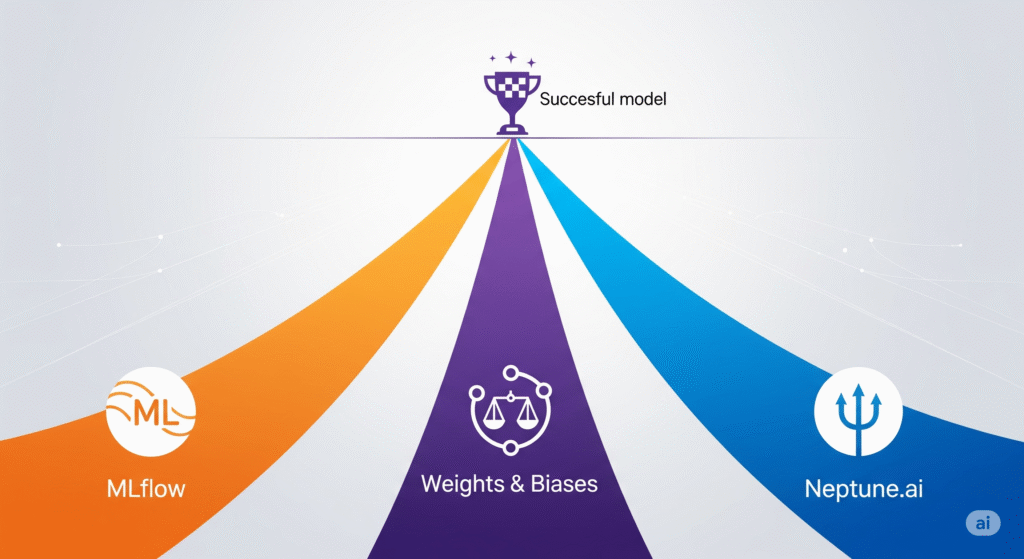
Lean Experiment Tracking: MLflow vs. Weights & Biases (Free Tier) vs. Neptune.ai (Free Tier)
I. Introduction: Why Experiment Tracking is Crucial for Startups 🧪
In the fast-paced world of startups, machine learning projects can quickly spiral out of control if experiments aren’t tracked properly. Without a clear record of parameters, metrics, datasets, and model versions, teams risk running into reproducibility issues, inconsistent results, and unnecessary compute costs 💸. Imagine spending days fine-tuning a model, only to realize you can’t recreate the exact conditions that produced your best results—frustrating and costly.
Experiment tracking sits at the heart of the MLOps lifecycle, acting as the glue that connects data ingestion, model training, evaluation, and deployment. As detailed in our Ultimate Guide to Cost-Effective Open-Source MLOps in 2025, it ensures that every iteration of your model can be audited, reproduced, and improved without guesswork.
In simple terms, experiment tracking means logging parameters, metrics, and artifacts for each run—a process that allows teams to compare experiments side-by-side, collaborate efficiently, and make data-driven decisions. It’s not just a productivity booster—it’s a safeguard for your ML investments.
According to Google Cloud’s MLOps Guidelines, reproducibility and traceability are critical for both regulatory compliance and long-term maintainability of machine learning systems. This makes experiment tracking non-negotiable, even for lean teams operating on tight budgets.
💡 Pro Tip: While open-source tools like MLflow offer complete self-hosting freedom, SaaS solutions like Weights & Biases can get you up and running in minutes, especially if you don’t have DevOps resources on hand.
This article is part of our Ultimate Guide to Cost-Effective Open-Source MLOps in 2025, where we explore each stage of the ML pipeline in detail—helping you build scalable systems without enterprise-level costs.
II. Common Use Cases for Experiment Tracking 📋
Experiment tracking isn’t just a “nice-to-have”—it’s the backbone of structured and efficient machine learning development. Startups, in particular, can benefit enormously from adopting robust tracking practices early on. Let’s explore some of the most important real-world applications:
1. Hyperparameter Tuning Comparisons 🎯
When optimizing models, you’ll often test dozens—or even hundreds—of combinations of learning rates, regularization strengths, and architecture tweaks. Tools like MLflow or Weights & Biases Sweeps let you log each run’s configuration and performance metrics, so you can easily identify which settings produce the best results without losing track.
2. Tracking Dataset Changes Between Experiments 📂
Models are only as good as the data they’re trained on. By integrating experiment tracking with data versioning (e.g., using DVC), you can record which dataset version was used for each experiment. This eliminates the guesswork when comparing results from “Dataset v1” vs. “Dataset v2.”
3. Collaborative ML Projects Across Teams 🤝
In distributed teams, experiment tracking platforms act as a single source of truth. Cloud-based solutions like Neptune.ai allow multiple engineers to log, view, and comment on experiments in real time, ensuring no insights get lost in Slack threads or email chains.
4. Debugging Model Regressions 🐞
When a model’s performance unexpectedly drops after a code change or new dataset update, experiment logs make it easy to pinpoint the root cause. By comparing metrics and artifacts from previous runs, teams can quickly roll back to a known good state—saving both time and cloud costs.
5. Regulatory / Audit Requirements 🏦⚕️
Industries like finance and healthcare demand full auditability of ML systems. According to the European Commission’s AI Act proposal, traceability and documentation are key compliance requirements. Experiment tracking tools provide the necessary evidence trail for every model decision, from raw data through to deployment.
💡 Pro Tip: If compliance is a priority, consider pairing your experiment tracker with Pachyderm for immutable data lineage, ensuring end-to-end traceability.
III. Tool #1: MLflow 🐍
MLflow is an open-source platform that covers the core needs of experiment tracking, model versioning, and even deployment—making it one of the most versatile tools for startups aiming to keep costs low while maintaining control over their ML workflows. Unlike fully managed SaaS platforms, MLflow can be self-hosted and integrated seamlessly with the rest of your open-source MLOps stack.
Key Features 🔑
- REST API & Python Client – Allowing you to log parameters, metrics, and artifacts programmatically from any environment.
- Model Registry – A centralized repository to store, version, and manage models throughout their lifecycle.
- Framework Integration – Direct connectors for popular ML libraries like scikit-learn, TensorFlow, and PyTorch.
- Deployment Support – Package and serve models via local servers, Docker, or cloud platforms.
Pros ✅
- Free & Open-Source – No licensing fees, perfect for budget-conscious teams.
- Offline Capability – Works in air-gapped environments where internet access is limited or restricted.
- Ecosystem Friendly – Integrates well with other open-source tools like DVC for data versioning and Prefect for orchestration.
Cons ⚠️
- Hosting Overhead – You’ll need to set up and maintain the MLflow server, which can be a burden for very lean teams without DevOps expertise.
- UI Limitations – Functional but less polished than SaaS options like Weights & Biases or Neptune.ai.
When to Use MLflow 🎯
Choose MLflow if your startup values maximum control, wants to avoid SaaS lock-in, and is prepared to invest some engineering time in setup and maintenance. It’s especially powerful when paired with containerization tools like Docker or orchestration via Kubernetes.
💡 Pro Tip: For quick deployments without managing servers, you can still host MLflow on Databricks, which offers a managed version with enterprise-grade scaling.
📚 Authoritative Resource: Dive deeper with the MLflow Documentation—the official guide with setup instructions, API references, and integration examples.
IV. Tool #2: Weights & Biases (Free Tier) 📊
Weights & Biases (W&B) is a cloud-based experiment tracking platform designed for speed, collaboration, and visualization. With its real-time dashboards and seamless integrations, W&B is one of the most popular choices for ML teams that want to start tracking experiments without wrestling with infrastructure.
Key Features 🔑
- Beautiful, Real-Time Dashboards 📈 – Monitor metrics, losses, and predictions as your model trains.
- Team Collaboration & Commenting 🤝 – Share results instantly with your team, annotate runs, and discuss improvements directly in the UI.
- Built-in Hyperparameter Sweeps 🔄 – Automate hyperparameter optimization without additional coding.
- Extensive Integrations 🔌 – Works with PyTorch, TensorFlow, scikit-learn, and more.
Pros ✅
- Fast Setup – Get started in minutes with just a pip install wandb.
- Excellent Visualization – Offers some of the most polished charts and reports in the industry.
- Strong Community & Support – Backed by active forums, Slack groups, and detailed documentation.
Cons ⚠️
- Data Stored in W&B Cloud – May not be suitable for sensitive projects in regulated industries unless using the enterprise tier.
- Free Tier Limitations – Limited storage, restricted to public projects for free users.
When to Use W&B 🎯
Go with W&B if your startup needs immediate speed-to-value, minimal DevOps involvement, and strong visual analytics for decision-making. It’s particularly effective for early-stage teams that iterate quickly and collaborate remotely.
💡 Affiliate Recommendation: If you want private projects, larger storage, and enterprise-grade security, upgrade to Weights & Biases Pro—ideal for scaling beyond the free tier.
📚 Authoritative Resource: Learn more in the W&B Documentation, which covers setup, integrations, and advanced features like artifacts and model management.
V. Tool #3: Neptune.ai (Free Tier) 🌌
Neptune.ai is a SaaS experiment tracking platform built with a strong emphasis on metadata management. Unlike many other tracking tools, Neptune focuses on making every part of your ML workflow—experiments, datasets, and models—searchable, filterable, and taggable. This makes it especially useful for teams handling multiple projects, long-running experiments, or complex pipelines.
Key Features 🔑
- Comprehensive Tracking 📝 – Log not only metrics but also datasets, model versions, code snapshots, and environment configurations.
- Tagging & Search 🔍 – Quickly retrieve past experiments by tags, parameters, or performance metrics.
- Wide Integration Support 🔌 – Works with Keras, PyTorch Lightning, Hugging Face, and more.
- Custom Dashboards 📊 – Create tailored views for specific projects, stakeholders, or workflows.
Pros ✅
- Powerful Search & Filtering – Ideal for large repositories of experiments.
- Great for Enterprise-Style Tracking – Handles not just experiments but all associated assets and metadata.
- Cloud-Hosted Convenience – No infrastructure to maintain.
Cons ⚠️
- Free Tier Limitations – Restricted to 1 team member and 100 GB storage.
- Less Popular than W&B – Smaller community means fewer public resources and shared templates.
When to Use Neptune.ai 🎯
Choose Neptune.ai if your ML projects involve complex metadata, multiple datasets, and require fast experiment retrieval. It’s particularly useful for regulated industries where audit trails are essential.
💡 Recommendation: Upgrade to Neptune.ai Pro to unlock multi-user collaboration, increased storage, and advanced team management features—perfect for scaling teams.
📚 Resource: Check the Neptune.ai Documentation for in-depth tutorials, API references, and integration guides.
Here’s the section for VI. Bonus Mention: Comet ML 🚀 with relevant emojis, authoritative linking, and a product recommendation:
VI. Bonus Mention: Comet ML 🚀
Comet ML is another strong contender in the experiment tracking space—similar to Weights & Biases—but with a special focus on research-heavy workflows. It’s designed for teams and researchers who need deep experiment analysis, easy side-by-side comparisons across hundreds of runs, and detailed reproducibility reports that document every aspect of model training.
Why It Stands Out 🌟
- Research-Driven Design 🧪 – Comet ML shines in academic and R&D environments where tracking subtle parameter changes and long experiment histories is critical.
- Reproducibility Reports 📄 – Automatically captures your code, environment, dependencies, and dataset metadata for a ready-to-share, audit-friendly report.
- Flexible Integrations 🔌 – Works with major ML frameworks like TensorFlow, PyTorch, and scikit-learn, and connects to tools like AWS SageMaker for end-to-end pipeline coverage.
When to Consider Comet ML 🎯
Choose Comet ML if you’re:
- Running hundreds of experiments in parallel and need robust filtering/comparison tools.
- Working in research or compliance-heavy industries where full reproducibility reports are a requirement.
- Looking for a UI-first approach without compromising metadata depth.
💡 Pro Recommendation: For advanced collaboration, unlimited projects, and private workspaces, consider Comet ML’s paid plans, which are tailored for teams moving from proof-of-concept to production.
📚 Authoritative Resource: Dive deeper into its capabilities via the Comet ML Features Overview, which outlines experiment tracking, model registry, and integration examples.
VII. Feature Comparison Table 📊
When deciding between MLflow, Weights & Biases, and Neptune.ai, it helps to look at their capabilities side by side. Below is a quick reference for startups weighing hosting preferences, UI quality, cost models, and collaboration features.
| Feature | MLflow 🐍 | W&B (Free) 📊 | Neptune.ai (Free) 🌌 |
| Hosting | Self-host | SaaS | SaaS |
| UI | Basic | Excellent | Good |
| Cost | Free | Free tier, paid upgrade | Free tier, paid upgrade |
| Storage | Unlimited (self-hosted) | 100 GB | 100 GB |
| Collaboration | Manual setup | Built-in | Built-in |
Key Takeaways 💡
- MLflow is unbeatable for cost-conscious teams who want complete control—but requires managing your own infrastructure. For a smooth setup, you can follow the MLflow Quickstart Guide.
- Weights & Biases offers a world-class UI and instant collaboration for distributed teams. If you outgrow the free tier, upgrading to W&B Pro unlocks private projects and higher storage.
- Neptune.ai is perfect for metadata-heavy projects and has search & tagging capabilities that scale well. Neptune.ai Pro is worth considering for multi-user teams.
📌 Pro Tip: If you’re unsure where to start, try MLflow locally for free, then experiment with W&B Free Tier for visualization. If your workflows demand deep metadata search, explore Neptune.ai Free Tier—you can always upgrade later.
Here’s the VIII. Decision Guide 🧠 section with relevant emojis, authoritative sources, and direct product recommendations:
VIII. Decision Guide 🧠
Choosing the right experiment tracking tool depends on your team’s size, technical maturity, and budget flexibility. Here’s how to decide:
✅ Choose MLflow 🐍
Go with MLflow if you want full open-source control, self-hosted deployments, and tight integration with other OSS MLOps tools like DVC and Prefect. This is the best option for:
- Startups with DevOps capacity.
- Teams that need unlimited storage without paying SaaS fees.
- Environments where data security & compliance require on-prem solutions.
💡 Pro Resource: The MLflow Tracking Guide explains how to log parameters, metrics, and artifacts for reproducible experiments.
✅ Choose Weights & Biases Free Tier 📊
Opt for W&B Free if you value speed-to-value, world-class visualization, and collaboration without DevOps setup. Perfect for:
- Distributed teams working on rapid ML iterations.
- Startups needing a polished UI to share results with non-technical stakeholders.
- Projects where hyperparameter sweeps and experiment comparisons are key.
💸 Pro Upgrade: W&B Pro unlocks private projects, custom storage quotas, and enterprise-grade security.
✅ Choose Neptune.ai Free Tier 🌌
Select Neptune Free when structured metadata management and powerful search are your top priorities. It’s ideal for:
- Teams running complex, multi-stage ML experiments.
- Data science projects with many artifacts that need tagging, filtering, and retrieval.
- Workflows where metadata lineage is critical for audits or reproducibility.
💸 Pro Upgrade: Neptune.ai Pro allows multi-user collaboration and increases storage limits beyond the free plan’s 100 GB.
🔗 Hybrid Setup Tip
You don’t have to pick just one tool! Many lean MLOps teams use W&B for visualization dashboards and MLflow for model registry & self-hosted tracking. This approach blends the UI strength of SaaS with the control of open-source.
📌 Reference: Google Cloud MLOps guidelines recommend combining tools for flexibility and resilience in production ML.
Here’s the IX. Getting Started: Installation & First Tracking Run ⚡ section with relevant emojis, authoritative links, and product recommendations:
IX. Getting Started: Installation & First Tracking Run ⚡
The fastest way to decide which experiment tracking tool fits your workflow is to try them in a simple project. Below, you’ll find minimal setup commands for MLflow, Weights & Biases, and Neptune.ai—plus a ready-to-use GitHub template to speed things up 🚀.
🐍 MLflow Setup
MLflow is Python-friendly and works well in virtual environments or containers.
pip install mlflow
mlflow ui
This will launch the MLflow UI locally at http://127.0.0.1:5000.
You can start logging parameters and metrics like so:
import mlflow
with mlflow.start_run():
mlflow.log_param(“learning_rate”, 0.01)
mlflow.log_metric(“accuracy”, 0.95)
📚 Reference: MLflow Quickstart Guide
📊 Weights & Biases Setup
W&B offers a plug-and-play cloud experience with no server setup.
pip install wandb
wandb login
Then, in your training script:
import wandb
wandb.init(project=”my-first-project”)
wandb.config.learning_rate = 0.01
wandb.log({“accuracy”: 0.95})
🌟 Pro Upgrade: For private projects, larger storage, and enterprise-grade security, upgrade to W&B Pro.
📚 Reference: W&B Quickstart Docs
🌌 Neptune.ai Setup
Neptune is ideal if you need structured metadata and search.
pip install neptune
Login and start tracking:
import neptune
run = neptune.init_run(
project=”common/my-first-project”,
api_token=”YOUR_API_TOKEN”
)
run[“parameters/learning_rate”] = 0.01
run[“metrics/accuracy”] = 0.95
run.stop()
📚 Reference: Neptune.ai Quickstart
💸 Pro Upgrade: Unlock multi-user collaboration and more storage with Neptune.ai Pro.
🛠️ Recommended Starter Repo
To avoid starting from scratch, clone the MLOps Experiment Tracking Template on GitHub. It contains example scripts for MLflow, W&B, and Neptune in one place—perfect for quick testing and side-by-side evaluation.
X. Connecting to the Pillar Article 🔗
Experiment tracking is not an isolated task—it’s a critical link in the broader Open-Source MLOps Stack 🧩. In our Ultimate Guide to Cost-Effective Open-Source MLOps in 2025, we position tools like MLflow, Weights & Biases, and Neptune.ai as the “memory” of your ML pipeline—keeping every parameter, metric, and artifact reproducible. Without this layer, even the most robust model training process risks becoming a black box.
To build a cohesive, production-ready MLOps stack, experiment tracking must work hand-in-hand with other core stages:
🧬 Data & Model Versioning
Before you can track an experiment, you need to ensure your datasets and model weights are versioned. Tools like DVC and lakeFS integrate seamlessly with MLflow and W&B to maintain reproducibility from raw data to deployed model.
📖 Explore the cluster article: Data & Model Versioning on a Budget.
⚡ Workflow Orchestration
Once you have versioned data and an experiment tracker, orchestration tools ensure automation and repeatability. Whether it’s Prefect for Python-first teams or Apache Airflow for cron-heavy workflows, these orchestrators can trigger training runs and log results to MLflow or Neptune automatically.
📖 Dive into: Choosing Your Orchestrator.
🚀 Model Serving
The final stage is deploying your trained model—while keeping an experiment tracking link to which version is live in production. Tools like BentoML and Seldon Core integrate directly with experiment trackers, so you can trace performance issues back to the exact training run.
📖 Read more: Deploying Models Without Breaking the Bank.
💡 Pro Tip: For a seamless setup, try MLflow + DVC + Prefect + BentoML—a fully open-source MLOps stack that balances cost, control, and scalability. If your startup grows, you can gradually add SaaS services like W&B or Neptune for richer dashboards and collaboration features.
XI. Recommended Learning Resources 🎓
Mastering experiment tracking is not just about picking the right tool—it’s about understanding the workflows, best practices, and integrations that make it a productive part of your MLOps stack. Whether you’re a solo ML engineer at a startup or part of a growing data team, structured learning can accelerate your progress.
📚 Affiliate Pick: Experiment Tracking with MLflow – DataCamp
If you want a hands-on, guided approach to using MLflow for parameter logging, metric comparison, and model registry, this DataCamp course is a practical investment. It covers both local and cloud-hosted setups, making it ideal for startups building cost-effective stacks.
💡 Why we recommend it: Project-based learning ensures you can immediately apply what you learn to your own workflow.
🎯 Practical MLOps – Coursera
Hosted by industry experts, this course teaches you how to integrate experiment tracking, CI/CD, data versioning, and deployment into a reproducible pipeline. It’s great for engineers looking to connect MLflow, W&B, or Neptune with orchestration tools like Prefect or Airflow.
💡 Pro Tip: Coursera offers financial aid for eligible learners—perfect for lean startup budgets.
🛠️ Documentation & Official Guides
For those who prefer self-paced deep dives:
- MLflow Docs – Official guide for setup, API references, and advanced use cases.
- Weights & Biases Docs – Covers everything from quickstart to custom dashboards.
- Neptune.ai Docs – Detailed guides for metadata tracking, integrations, and scaling to multi-user environments.
💡 Next Step: After taking one of these courses, try applying your knowledge by contributing to the MLOps Experiment Tracking Template on GitHub—an open-source starter kit that integrates MLflow, Prefect, and DVC.
Pingback: The Ultimate Guide to Building a Cost-Effective Open-Source MLOps Stack in 2025 - aivantage.space