
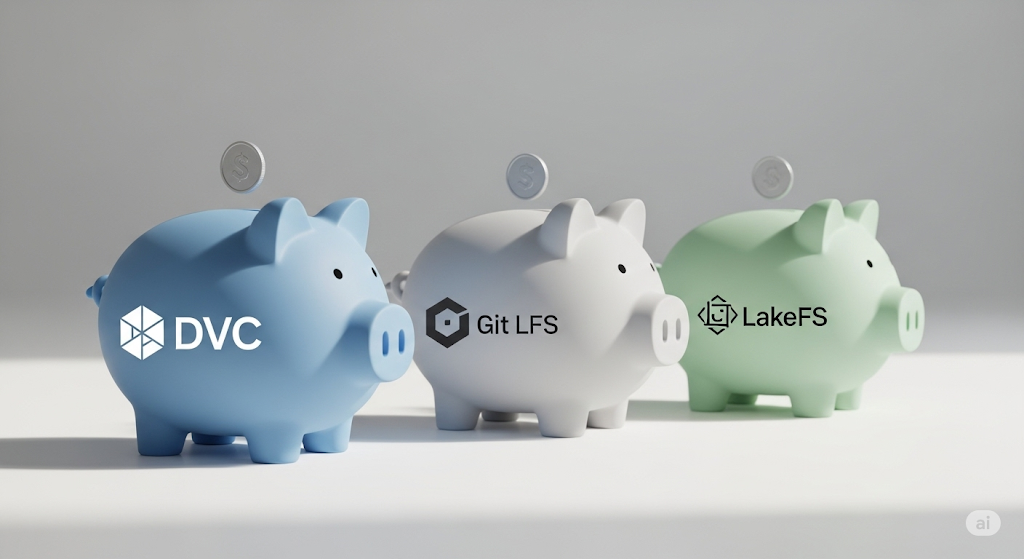
Data & Model Versioning on a Budget: A Deep Dive into DVC vs. Git LFS vs. lakeFS
I. Introduction: Why Data Versioning Matters 🧬
In traditional software development, version control is a solved problem—Git makes it easy to track code changes, collaborate across teams, and roll back when things go wrong. But in machine learning workflows, code is just one piece of the puzzle. ML projects also depend heavily on datasets, model weights, feature transformations, and experimental outputs, all of which evolve and need to be versioned 📦.
The problem? Git alone doesn’t scale for ML data. Large files, binary formats, and frequently changing datasets often overwhelm standard Git repositories, quickly exceeding platform limits (e.g., GitHub’s 1 GB per file restriction). As a result, data scientists usually resort to manual workarounds—such as renaming files (e.g., data_v2_final_final.csv) or copying folders—leading to a chaotic and untrackable workflow 🌀.
This is where data versioning becomes essential. In the context of MLOps, data versioning refers to the ability to track, manage, and reproduce datasets and model artifacts alongside code, ensuring that every experiment and pipeline step can be traced and rerun deterministically. It supports better collaboration, debugging, auditing, and, most importantly, reproducibility 🔁.
Why does reproducibility matter? Without it, you can’t:
- Guarantee consistency between training and production
- Validate claims in research or experimentation.
- Debug model drift or performance issues over time.
- Collaborate efficiently with distributed teams.
As noted in Google’s ML Test Score, reproducibility is one of the core foundations of production-grade ML systems—yet it’s often overlooked in early-stage teams and startups 😬.
That’s why choosing the correct data versioning tool is not just a technical decision—it’s strategic.
This article is part of our Ultimate Guide to Building a Cost-Effective Open-Source MLOps Stack in 2025, where we explore each key component of a lean MLOps architecture. In this piece, we’ll focus specifically on DVC, Git LFS, and lakeFS—three open-source tools that address the versioning challenge from different angles. We’ll help you compare them head-to-head based on:
- Scalability
- Ease of use
- Workflow compatibility
- Team collaboration
- Cloud storage integration
By the end of this guide, you’ll know exactly which tool fits your workflow—and how to implement it with minimal overhead 💡.
🎯 Recommended Resource: Want to get hands-on with real-world data versioning techniques? Try the Data Version Control for Machine Learning Projects course by DataCamp. It offers practical, beginner-friendly training on how to use DVC in modern ML workflows—perfect for teams building reproducible pipelines from scratch 🛠️.
Ready to dive in? Let’s explore when, why, and how to use DVC, Git LFS, or lakeFS in your machine learning projects 🔍.
II. Common Use Cases for Data Versioning in ML 🧩
Data versioning isn’t just a “nice-to-have” feature for machine learning projects—it’s a core requirement for any team aiming to build production-grade systems. As datasets grow larger and workflows become more complex, being able to track, manage, and reproduce data and model artifacts becomes essential. Here are the most common use cases where data versioning tools like DVC, Git LFS, and lakeFS can make or break your ML workflow:
📆 1. Tracking Datasets Over Time (e.g., training_v1.csv → training_v2.csv)
Machine learning models are only as good as the data they’re trained on. But data is never static—it evolves. Whether you’re adding new samples, removing outliers, or rebalancing classes, your training dataset changes over time. Data versioning enables you to track each version of the dataset and link it to specific model outputs, ensuring a clear lineage between the data and performance.
For example, with DVC, you can version a dataset using Git-like commands and store the data in a remote bucket, such as AWS S3. This makes it easy to switch between dataset versions, compare performance across iterations, and maintain reproducibility.
🧠 Need help setting up data versioning with DVC and S3? The Data Engineering for Machine Learning on AWS course on Coursera offers a guided approach to managing data at scale in the cloud.
👥 2. Collaborating Across Team Members with Large Files
In most teams, data scientists, ML engineers, and researchers need to share large files—from cleaned datasets to trained model checkpoints. Without version control, teams often duplicate data, overwrite each other’s work, or waste hours manually syncing file systems.
Tools like Git LFS are helpful for small teams needing a simple way to share large files via GitHub. However, for more robust collaboration with metadata, branching, and storage backends, tools like lakeFS or DVC provide superior team workflows.
✅ Tip: Pairing GitHub with Git LFS can be a quick win for small projects or prototypes that involve large but static files (e.g., .h5, .pkl, .csv).
🔁 3. Managing Reproducible Model Experiments
A common challenge in ML is reproducing results. When you train a model, it’s not just about the code—you also rely on a specific version of the dataset, a set of hyperparameters, and possibly even an environment or compute backend. Without proper tracking, re-running the same experiment later becomes nearly impossible.
With DVC, you can version both your data and model training pipelines, ensuring each experiment is traceable and auditable. It even integrates with tools like MLflow and CML to automate result logging and CI workflows.
📘 For a step-by-step introduction to reproducible pipelines, check out the Reproducible Machine Learning with DVC guided project on Coursera.
⏮️ 4. Rolling Back to a Previous Dataset Version
Sometimes a new dataset version introduces bugs, mislabels, or unexpected performance drops. When this happens, it’s critical to be able to roll back to a previously validated version.
Versioning tools make rollback a one-command operation. For instance, with DVC, you can simply run’ git checkout <commit>’ and retrieve the associated dataset state. Similarly, lakeFS offers branching and tagging mechanisms that enable you to treat data like code, supporting rollback, branching, and even testing new versions in isolation.
🛡️ Pro Tip: Use versioning in conjunction with validation tools like Evidently AI to spot and respond to data drift before it hits production.
🧠 5. Versioning Both Data and Model Weights/Artifacts
In production ML workflows, it’s not enough to track the model code—you also need to version the actual trained models, including weights, preprocessing steps, and metrics. These artifacts are critical for deployment, rollback, and compliance audits.
DVC and Git LFS both support tracking binary model files (.pkl, .h5, .onnx, etc.), but DVC adds the ability to link each model artifact to its training data, parameters, and pipeline—a complete lineage.
Alternatively, you can use lakeFS to version artifacts stored in S3 buckets alongside raw data and logs, giving your data engineering and ML teams a unified interface over your object storage.
🧰 Want to organize and monitor these artifacts post-training? Consider using Comet ML for experiment tracking and version control at scale. Their free tier supports individual use, and their UI integrates with many open-source tools.
Together, these use cases demonstrate that data versioning is the glue that holds reliable ML systems together. In the next section, we’ll dive into how DVC solves these challenges—and how it compares to Git LFS and lakeFS in terms of real-world usability 🚀.
III. Tool #1: DVC (Data Version Control) 🚀
DVC (Data Version Control) is one of the most popular and robust open-source tools, specifically designed to address the unique versioning needs of machine learning workflows. Developed by the creators of CML, DVC extends Git by adding the ability to track data, models, and pipelines, making it a perfect fit for teams working on reproducible and collaborative ML projects 🧪🔁.
🔗 Overview and Git Integration
DVC integrates directly with Git to manage large files, datasets, and model artifacts without bloating your Git repository. Instead of storing the actual files, DVC stores lightweight pointers (.dvc files) in Git, while the data itself is stored in a remote storage backend, such as AWS S3, Google Cloud Storage, Azure Blob, or even an on-premises SSH server 🌐.
This design keeps your code and data versions tightly coupled—ideal for teams working with version-controlled experimentation.
🌟 Key Features
🔄 1. Pipeline Support
DVC enables you to define machine learning pipelines using YAML files. Each step—from data preprocessing to model evaluation—is versioned and tracked, making your workflow modular and reproducible.
Example YAML:
stages:
preprocess:
cmd: python preprocess.py
deps:
– data/raw
outs:
– data/clean
☁️ 2. Remote Storage Support
DVC supports multiple remote backends, including:
- AWS S3
- Google Cloud Storage
- Azure Blob Storage
- SSH, local servers, Google Drive, and more
This flexibility enables teams to scale storage independently of code hosting. 💾
📊 3. Metrics Tracking & Experiment Reproducibility
DVC can track key metrics, such as accuracy and loss, from your model runs. These can be versioned alongside your code and data, enabling side-by-side comparisons of experiments—ideal for tuning and auditing.
Example .dvc snippet:
dvc run -n train_model \
-d train.py -d data/clean -o model.pkl \
-M metrics.json \
python train.py
✅ Pros of Using DVC
- Strong Community & Ecosystem: Actively maintained with extensive documentation and community support
- Seamless Git Workflow: Integrates with GitHub, GitLab, Bitbucket, and all standard Git operations
- Scalable: Works for both solo developers and large teams managing large datasets and experiments
⚠️ Cons of Using DVC
- Slight Learning Curve: DVC introduces new commands and file structures that can take time to master
- Git Dependency: While Git integration is a strength, it also means DVC assumes your team is already comfortable using Git workflows (branches, commits, merges) 🧵
🧪 CI/CD Integration with CML
DVC shines even brighter when combined with CML (Continuous Machine Learning). With CML, you can:
- Automate training and evaluation pipelines via GitHub Actions or GitLab CI
- Automatically post model metrics and plots into pull request comments.
- Set up GPU runners for remote training jobs on cloud or local VMs 💻⚡
Together, DVC + CML = a GitOps-friendly ML stack—perfect for early-stage teams looking to automate without vendor lock-in.
🧠 When to Use DVC
Use DVC if:
- You want end-to-end version control for data, models, and pipelines
- Your team already uses Git, but it needs better reproducibility and collaboration.
- You’re preparing for production ML where audits, rollback, and traceability matter.
- You want to build ML workflows that scale across cloud and local environments.
🎯 Recommended Course: For a hands-on learning experience, enroll in the Data Version Control for Machine Learning Projects on DataCamp. This course teaches you how to use DVC for reproducible pipelines, remote storage, and experiment tracking—ideal for engineers and data scientists working on real-world ML problems 💡.
In the next section, we’ll evaluate Git LFS, a simpler alternative that may suit smaller projects or early experimentation stages 🗃️.
IV. Tool #2: Git LFS (Large File Storage) 🗃️
If you’re looking for a lightweight solution to version large files in machine learning projects without leaving your Git comfort zone, Git LFS (Large File Storage) is a natural choice. Developed by GitHub, Git LFS extends Git’s capabilities to support large binary files such as datasets, images, and model artifacts—without bloating your repository 🧱.
🧩 Overview: Extending Git for Binary Files
By default, Git is designed for text-based files, such as .py or .ipynb. Trying to commit a 500MB .csv or .pkl file can slow down your repo or even break it altogether. Git LFS solves this by replacing large files with small pointers in Git, while the actual files are stored in a separate object store managed by Git LFS. This means you still get the benefits of version control without sacrificing performance.
And because GitHub builds it, Git LFS integrates seamlessly with popular Git hosting platforms like GitHub, GitLab, Bitbucket, and Azure Repos ⚙️.
🌟 Key Features
Simple Integration: Add Git LFS to your existing Git repo with just two commands:
git lfs install
git lfs track “*.csv”
- Native GitHub Support: GitHub automatically detects and supports Git LFS files—no plugin needed. This is ideal for solo developers or small teams already using GitHub as their source of truth ✅.
- Transparent Workflow: Git LFS works under the hood, so your existing Git commands (clone, pull, push) remain unchanged.
✅ Pros of Git LFS
- Easy Setup: It takes less than 5 minutes to install and configure
- No Learning Curve: If you know Git, you know Git LFS—no new concepts or config files
- Ideal for Small Teams or Individual Use: Perfect for tracking static datasets, pre-trained models, or media files without introducing additional tools
⚠️ Cons of Git LFS
- Poor Metadata and Diffing: Git LFS doesn’t store metadata or offer version comparison tools, so you can’t inspect what’s changed inside a file
- Storage Limits on Free Plans: GitHub offers 1 GB of storage and 1 GB of bandwidth per month for LFS. You’ll need to upgrade or purchase data packs if you exceed those limits.
(GitHub Pricing) 💸
For teams that require advanced data lineage, branching, or reproducibility, Git LFS can quickly become a limitation.
🧪 Example: Git LFS in Action
Here’s a minimal example of how you’d version a large model file (model.pkl):
git lfs install
git lfs track “model.pkl”
git add .gitattributes
git add model.pkl
git commit -m “Track model with Git LFS”
git push origin main
This setup is ideal for small, self-contained ML projects where full experiment tracking isn’t necessary, but you still want to manage file size and repository cleanliness. 🎯
🧠 When to Use Git LFS
Git LFS is best suited for:
- Solo developers or students working on notebooks and small models
- Prototyping phases where simplicity and speed matter more than full tracking
- Static artifacts like image datasets, embeddings, or pretrained models
- Projects with limited storage needs or that rely entirely on GitHub workflows
If your MLOps stack is still in its early stages, Git LFS can be a practical stepping stone before moving on to more advanced solutions, such as DVC or lakeFS 🪜.
🛠️ Official Resource: Learn more and get started at the Git LFS official site, including complete documentation and supported integrations.
🎯 Recommended Product: Need an easy way to manage GitHub-based ML projects? Try GitHub Desktop—a beginner-friendly tool for managing Git and Git LFS workflows with a graphical interface. It’s ideal for teams new to Git or working in cross-functional environments 🖥️.
Next, we’ll explore lakeFS—a more advanced option designed for large-scale data lakes and big data workflows 🌊.
V. Tool #3: lakeFS 🌊
When your machine learning workflows scale beyond gigabytes into terabytes or petabytes, traditional Git-based versioning tools like DVC or Git LFS begin to break down. This is where lakeFS comes into play—a Git-like version control layer explicitly designed for data lakes and object stores, such as Amazon S3, Google Cloud Storage, and Azure Blob Storage. 🔁☁️
🌐 Overview: Git-Like Interface Over Object Stores
lakeFS brings the principles of Git—commits, branches, merges, and diffs—to massive datasets stored in object storage systems. It doesn’t duplicate data; instead, it creates lightweight metadata layers that allow you to version and manage your data just like code. This makes it incredibly powerful for organizations dealing with high-volume, evolving data pipelines 🧬📦.
Unlike DVC or Git LFS, lakeFS is storage-native, meaning it integrates directly with your object store (e.g., S3), which ensures fast performance and eliminates the overhead of manually syncing large files.
✨ Key Features
✅ 1. Atomic Commits
lakeFS allows users to make atomic changes to large datasets. Whether you’re appending new records or modifying existing files, every change is tracked in a commit, ensuring data consistency even in distributed environments.
🌿 2. Branching & Versioning at Scale
Just like Git, lakeFS supports branching and merging. You can create isolated branches to test data transformations or experiments without modifying production datasets, which is crucial for collaborative workflows.
🔌 3. Integration with Big Data Tools
lakeFS is fully compatible with popular data engineering platforms like:
- Apache Spark
- Presto
- Apache Hive
- Databricks and Trino
This makes it an ideal versioning layer for large-scale ETL and analytics pipelines 🔍📊.
✅ Pros of lakeFS
- Built for Big Data: Unlike Git-based tools, lakeFS is designed to handle petabyte-scale datasets without performance bottlenecks
- Branching in Data Lakes: Safely test and validate transformations in isolated environments
- Decouples Data & Compute: Works independently of ML frameworks or orchestration tools
⚠️ Cons of lakeFS
- Requires Object Storage Setup: You’ll need a working S3-compatible object store (e.g., AWS S3, MinIO) to deploy lakeFS
- Geared Toward Data Engineering: May be overkill for simple ML projects; best suited for use where data is shared across teams and pipelines.
🧠 Ideal Use Cases
lakeFS is perfect for:
- Teams working with data lakes and cloud-native ETL pipelines
- Organizations needing auditable, branchable data workflows
- Enterprises standardizing DevOps-like processes for data management
- Collaborative analytics projects across departments (e.g., ML, BI, Data Engineering)
💡 Use lakeFS to ensure data reproducibility, rollback, and isolation in complex environments—similar to how Git transformed software engineering.
🧪 Explore Further: Visit the lakeFS Documentation and start with their Quickstart Guide to deploy lakeFS locally or on the cloud in minutes.
🎯 Recommended Product: Want to explore object storage before integrating lakeFS? Try MinIO, a high-performance, self-hosted S3-compatible object store that integrates seamlessly with lakeFS and big data tools. MinIO is widely used in modern data architectures and is trusted by enterprises such as NVIDIA and Dropbox.
In the next section, we’ll compare DVC, Git LFS, and lakeFS side by side, helping you decide which tool is right for your team’s scale, workflow, and technical capacity. 🧾
VI. Comparison Table 📝
When selecting the ideal data versioning tool for your ML stack, it’s crucial to assess how each tool aligns with your specific workflow, infrastructure, and scale. Below is a side-by-side comparison of the three leading open-source solutions—DVC, Git LFS, and lakeFS—to help you quickly identify the best fit for your startup or team 💼🚀.
| Feature | DVC | Git LFS | lakeFS |
| Git Integration | ✅ Strong Git-native workflows | ✅ Built-in with GitHub support | ❌ Separate system; Git-like APIs |
| Remote Storage Support | ✅ Full (S3, GCS, Azure, etc.) | ⚠️ Limited to Git host storage | ✅ Native object storage (e.g., S3) |
| Pipeline Support | ✅ Built-in YAML pipelines | ❌ No pipeline support | ⚠️ Requires external tools like Spark |
| Team Collaboration | ✅ Versioning + metrics + CI/CD | ⚠️ Basic file sharing | ✅ Data branching & environment isolation |
| Best Use Case | ML pipelines & experiment tracking | Solo devs & static files | Big data versioning at scale |
🔍 Quick Takeaways
- Choose DVC if your team needs experiment reproducibility, metric tracking, and pipeline automation—especially when working with Python and using GitHub or GitLab. It’s a complete ML lifecycle tool for modern MLOps workflows.
- Choose Git LFS if you’re a solo developer, student, or early-stage startup needing a quick fix for storing large model files or datasets in Git. It integrates easily with GitHub and requires minimal setup—but comes with limitations on diffing and scaling 📦.
- Choose lakeFS if you’re managing petabyte-scale data across teams or departments and want Git-style control over cloud object storage. It excels in data lake environments and large-scale analytics or batch processing systems. 🌊
🎯 Pro Tip: If you’re unsure where to start, test both DVC and Git LFS locally, and simulate simple workflows with real datasets. For bigger teams or when you hit scaling issues, consider migrating to lakeFS, which offers enterprise-level control for complex pipelines.
📘 Recommended Resource: Want a hands-on comparison? Try Reproducible Machine Learning with DVC on Coursera, or explore lakeFS through their interactive playground where you can test branching and commit operations on sample data 💡.
Up next: Let’s walk through some real-world scenarios to help you decide when and how to adopt each tool based on your infrastructure, team maturity, and budget 💰.
VII. Which Tool Should You Choose? 🧠
Selecting the correct data versioning tool depends on your project’s scale, team composition, infrastructure, and long-term goals. There’s no one-size-fits-all answer—but by evaluating your current needs and future roadmap, you can adopt a tool (or combination of tools) that grows with your ML pipeline 📈. Below are scenario-based recommendations to help you make the smartest choice:
✅ Use DVC if you need full pipeline tracking, version control, and CI/CD integration
DVC is the best option if your team requires a reproducible ML workflow, including:
- Pipeline stages (data prep, training, evaluation)
- Versioned datasets and models
- Metric tracking and model comparisons
- Seamless integration with CI/CD using CML
DVC is especially effective when paired with Git platforms (like GitHub or GitLab), allowing ML teams to adopt GitOps practices in their model development lifecycle. For a hands-on learning experience, consider the Data Version Control for ML Projects course on DataCamp 📚.
💡 Recommended stack for MLOps:
DVC + GitHub + CML = versioned data + automated training + collaborative code reviews 🛠️.
✅ Use Git LFS for simplicity and basic binary storage
If you’re a solo developer, early-stage startup, or student working on:
- Jupyter notebooks
- Pre-trained model binaries
- Static image/audio datasets
…then Git LFS is your best friend. It’s easy to set up, works directly with GitHub, and doesn’t require any new toolchain knowledge. But keep in mind that free GitHub LFS storage is limited to 1 GB and may incur charges if you exceed bandwidth limits (GitHub Pricing) ⚠️.
Use Git LFS if you want something simple and integrated, but don’t need full experiment traceability or automation.
✅ Use lakeFS if you operate a large-scale data lake and need atomic branching
For enterprise-scale use cases—especially those involving:
- Big data pipelines using Spark, Hive, or Presto
- Cross-functional teams managing evolving datasets
- Complex ETL workflows where rollback and auditability matter
…lakeFS offers unmatched power. It’s Git-like branching for object storage lets you isolate, test, and promote data changes without touching production, bringing DevOps principles to data engineering 🌐.
🧠 LakeFS is perfect for teams working with AWS S3, GCP, or Azure, looking to implement versioned workflows across distributed systems.
For deployment, consider pairing lakeFS with MinIO—an open-source, high-performance S3-compatible object storage system ideal for self-hosted environments 🚀.
🔄 Suggested Hybrid Setups
Many teams find value in combining tools based on their strengths. A popular hybrid stack:
- DVC for dataset + model versioning
- CML for CI/CD automation
- GitHub for collaboration and pull requests.
- MLflow or Comet for experiment UI (optional)
This setup empowers teams with a comprehensive GitOps-based ML development pipeline, ensuring traceability, automation, and reproducibility from commit to production. 🚢
Still unsure? Don’t worry—each of the tools listed here is open-source and offers quick-start guides to help you test-drive your setup. The right tool today might not be the perfect tool forever, so staying adaptable is key 🔄.
Next, we’ll show you where to find hands-on learning resources and how to level up your MLOps skills with real-world training 💡📚.
VIII. Getting Started: Tool Installation & First Project ⚙️
Now that you’ve explored the strengths and use cases for DVC, Git LFS, and lakeFS, it’s time to get your hands dirty 🧪. This section walks you through step-by-step setup instructions to launch your first versioned ML project using each tool—complete with code snippets, terminal commands, and a ready-to-fork GitHub starter repo 📦.
🧰 1. Installing DVC
To get started with DVC, simply install it via pip:
pip install dvc
Next, initialize DVC inside your existing Git repo:
git init
dvc init
Track a data file or directory:
dvc add data/train.csv
git add data/train.csv.dvc .gitignore
git commit -m “Track training data with DVC”
Set up remote storage (e.g., AWS S3):
dvc remote add -d myremote s3://your-bucket/path
dvc push
🧠 Learn more from the official DVC Getting Started Guide or explore hands-on courses like DataCamp’s DVC course for practical workflows.
🗃️ 2. Setting Up Git LFS
Git LFS can be installed via Homebrew, apt, or direct download:
git lfs install
git lfs track “*.pkl”
git add .gitattributes
Then version your model or dataset as usual:
git add model.pkl
git commit -m “Add model binary using Git LFS”
git push origin main
✅ GitHub natively supports LFS, so no additional config is needed if you’re hosting your code there. For visual learners, check out GitHub’s official Git LFS documentation.
🌊 3. Deploying lakeFS Locally or on the Cloud
To try lakeFS, follow their Quickstart Tutorial:
🧪 Run with Docker:
docker run \
-e LAKEFS_AUTH_ENCRYPT_SECRET_KEY=”some-random-key” \
-p 8000:8000 \
treeverse/lakefs
Once running, access the UI at http://localhost:8000, create your first repository, and connect your S3 bucket or MinIO instance for object storage.
You can also use their interactive playground—no setup required.
💡 Need an S3-compatible backend? Try MinIO, a blazing-fast, open-source alternative used by data teams at Netflix, Uber, and more.
📦 Starter Repo: Your First MLOps Project
To fast-track your learning, clone this ready-to-use starter repo that includes:
- ✅ Sample dataset
- ✅ dvc.yaml pipeline
- ✅ GitHub Actions workflow using CML
- ✅ Git LFS tracked model
- ✅ Documentation and setup scripts
🔗 MLOps Data Versioning Starter Repo on GitHub
Fork it, run it, and begin customizing your own MLOps-ready workflow today 🏁.
🚀 Whether you’re a solo engineer or part of a lean startup team, setting up version control for your ML assets early will save time, reduce bugs, and make your work reproducible and production-ready. In the final section, we’ll guide you to additional resources and communities to help you grow from “beginner” to MLOps ninja 🥷.
IX. Summary: Best Fit Based on Team & Scale 🎯
Choosing the correct data versioning tool is not about picking the most feature-rich option—it’s about selecting what aligns best with your team’s size, workflow maturity, and infrastructure. 🧠 Below is a quick summary to help you align the right tool with your team’s needs and scale while staying consistent with the broader open-source MLOps strategy outlined in our Pillar Article 🔗.
⚙️ DVC: The ML Engineer’s Swiss Army Knife
For teams building structured, repeatable ML pipelines with experiment tracking and CI/CD integration, DVC is the top pick. It was built specifically for machine learning workflows and works beautifully with Git. DVC enables full-stack reproducibility from raw data to deployed models, making it a foundational component of any lean MLOps stack 🛠️.
💬 Best for: Machine Learning engineers in early-stage or mid-size teams that value reproducibility, modularity, and automation.
👨💻 Git LFS: The Solo Developer’s Simple Solution
Suppose you’re working solo or with a tiny team and just need a way to store large datasets or model binaries in GitHub without versioning complexity. In that case, Git LFS is the easiest and quickest solution. It has minimal setup, integrates natively with GitHub, and works well for versioning static assets or early prototypes.
💬 Best for: Individual developers, data scientists, or students working on personal ML projects or class assignments.
🏗️ lakeFS: Built for Data Engineering at Scale
When you’re managing petabyte-scale datasets across teams, or need data branching, rollbacks, and reproducibility inside cloud object stores, lakeFS is the clear winner. It brings Git-style versioning to data lakes and is optimized for large-scale data platforms, such as Spark and Presto. It’s also ideal for teams that already operate on AWS S3 or similar infrastructure.
💬 Best for: Data engineers and infrastructure teams working with analytics pipelines and massive object stores.
🧬 Aligning With the Open-Source MLOps Strategy
Each of these tools fits into a larger modular, cost-effective open-source MLOps stack, as outlined in our Ultimate Guide to Open-Source MLOps in 2025. Choosing the right versioning tool is foundational—it influences your ability to experiment, collaborate, and scale.
If you’re planning to build a full-stack, Git-native ML pipeline, consider combining:
- ✅ DVC for data and model versioning
- ✅ CML for CI/CD
- ✅ MLflow for experiment tracking
- ✅ Prefect for orchestration
This hybrid approach is scalable, collaborative, and fully aligned with modern DevOps principles applied to ML 🚀.
🧠 Still unsure? Try all three tools in small-scale projects to assess their effectiveness. They’re open-source and free to experiment with—and the experience will help clarify what works best for your use case.
Ready to go deeper? Jump to our Getting Started section or explore hands-on training like the Machine Learning Engineering for Production (MLOps) specialization by DeepLearning.AI on Coursera 💡.
Let your MLOps journey begin! 🧑🚀
X. Further Reading & Resources 📚
The world of MLOps moves fast, but building a solid foundation begins with the right learning paths and hands-on practice. Whether you’re a solo practitioner, a startup ML engineer, or part of a scaling data team, these resources will accelerate your journey 🚀.
🔗 📘 Ultimate MLOps Guide (Pillar Article)
This article you’re reading is part of a broader content series. If you haven’t already, check out our comprehensive Ultimate Guide to Building a Cost-Effective Open-Source MLOps Stack in 2025. It’s your blueprint for implementing modular, scalable, and budget-friendly machine learning pipelines using open-source tools 🧱.
🎓 Reproducible Machine Learning with DVC – Coursera Guided Project
Want a structured, hands-on way to learn DVC? This Coursera guided project walks you through setting up version control for data and models in a real ML workflow. In just a few hours, you’ll go from zero to a reproducible, versioned pipeline—no DevOps background required 🎯.
📂 Official Documentation (Always Updated)
For deep technical dives, official docs are the best place to stay up to date and explore advanced features:
- 🧪 lakeFS Documentation – Learn how to manage data branches, commits, and S3 integrations with Git-like fluency.
- 🚀 DVC Documentation – Explore advanced CLI commands, pipelines, and remote storage setup.
- 🗃️ Git LFS Documentation – Get help tracking large model files and managing storage in Git-based projects.
🧰 Bonus Tool: Iterative Studio
Looking for a GUI for DVC and CML? Iterative Studio offers a visual project dashboard, automated CI/CD integrations, and remote experiment tracking—all while maintaining an open-source and Git-based stack. It’s ideal for startups and ML teams that want visibility without vendor lock-in 🔍💼.
📬 Subscribe to our newsletter to get the latest open-source MLOps tutorials, tool reviews, and implementation case studies straight to your inbox. Or follow us on LinkedIn or Twitter to join a community of global ML builders 🛠️🌍.
The journey to reproducible, scalable machine learning starts now. Happy versioning! ✨
Pingback: Automating the CI/CD Pipeline for ML: A Practical Workflow with CML and GitHub Actions - aivantage.space
Pingback: The Ultimate Guide to Building a Cost-Effective Open-Source MLOps Stack in 2025 - aivantage.space